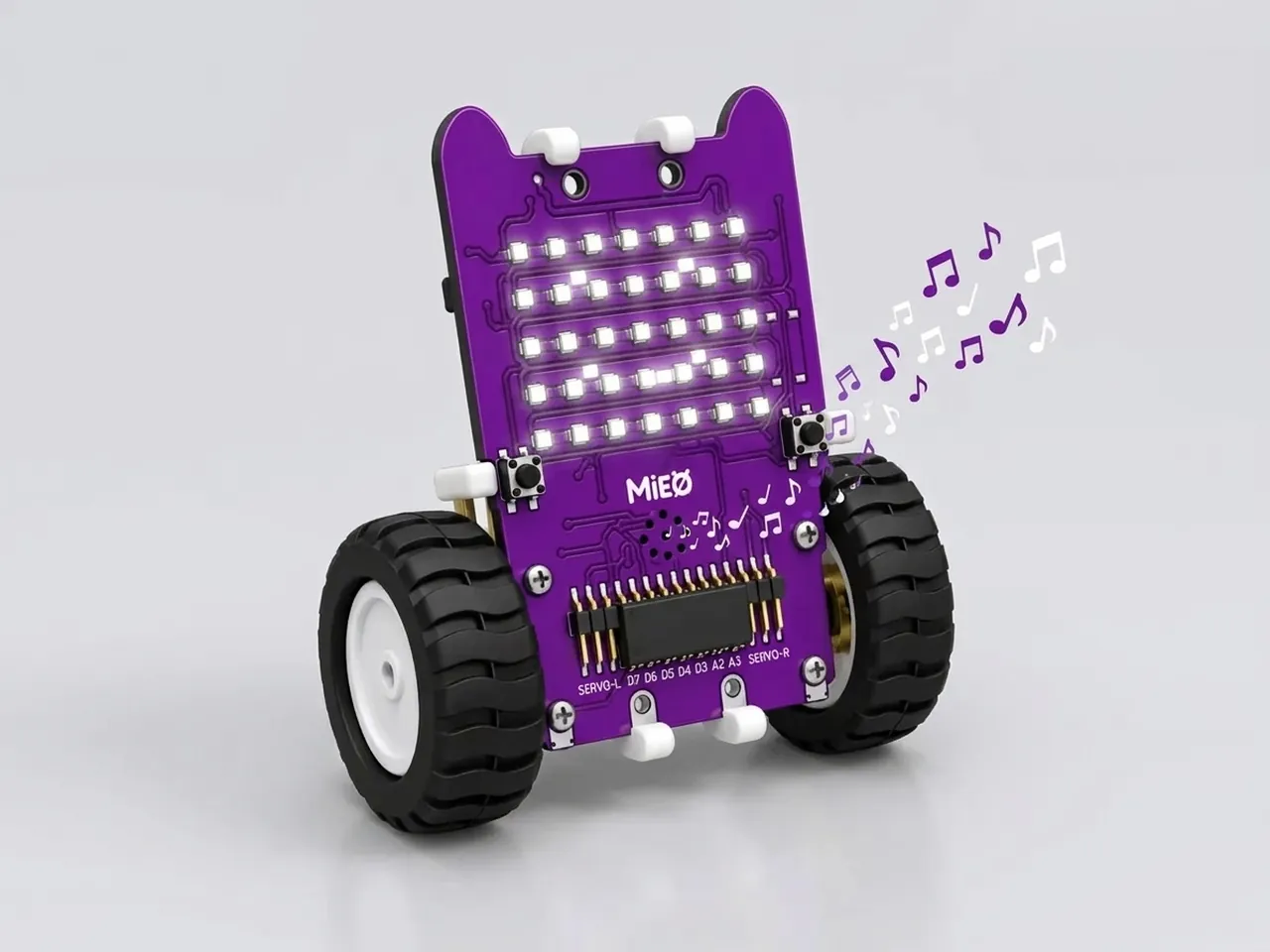
Beep Melody
Play a short tune on MIEO's speaker, note by note
What you'll build
MIEO has a small speaker, and it can play any note from low C3 to high C7. In this project you write a tune for it, one block per note: the first line of Twinkle Twinkle Little Star. MIEO smiles while it plays and shows a heart at the end. Along the way you'll find out why two notes that are the same need a tiny pause between them, which is a real problem that people who program music have to solve.
What you'll learn
- Notes have names: a letter from A to G and an octave number, like C4
- Note lengths: a Quarter lasts half a second and a Half lasts a whole second
- A program runs one block at a time, so the order of the blocks is the order of the tune
- Why a tiny wait separates two notes that are the same
You'll need
- Mieo board
- Battery
- 3D-printed mountings
- Screws and screwdriver
- A USB cable, or Bluetooth on your computer
- The Robolab app (free)
Stay safe
- Ask an adult to help with the small screws.
Build it
- Fit the battery into its 3D-printed mounting on the back of the Mieo board and fix it in place with the screws. If you built Happy Face Display, your MIEO is already ready.
- Connect the battery to the board as shown in your kit's build guide, then switch MIEO on.
- Connect MIEO to your computer with a USB cable, or turn on Bluetooth on your computer so Robolab can find it.
Code it

Want MIEO Bot to guide you?
Robolab's built-in tutor has a lesson on the same idea, “Mieo Sings”. Open MIEO Bot in Robolab, pick Beginner, then Mieo, and it shows you the blocks one at a time and checks your work as you go.
About MIEO Bot's lessons- Open Robolab, choose Mieo as the device and connect to your MIEO. Set the switch at the top right to Upload.
- Drag out “when mieo starts up” from the Mieo group, then add “show happy” from Display.
- From Speaker, add “play tone of note C4 with duration Quarter”. C4 is middle C, and Quarter lasts half a second.
- Add a second C4. MIEO plays notes back to back with no gap, so two C4s in a row would sound like one long note. Put “wait 0.05 seconds” between them to make a gap you can hear.
- Carry on with G4, a wait, G4, then A4, a wait, A4. Finish the line with G4 and change its duration to Half, so the last note lasts twice as long.
- Add “show heart” at the bottom, then click Upload.
Upload mode: Robolab turns your blocks into MicroPython and sends them to MIEO over USB or Bluetooth. MIEO then runs the program by itself, even after you unplug it.
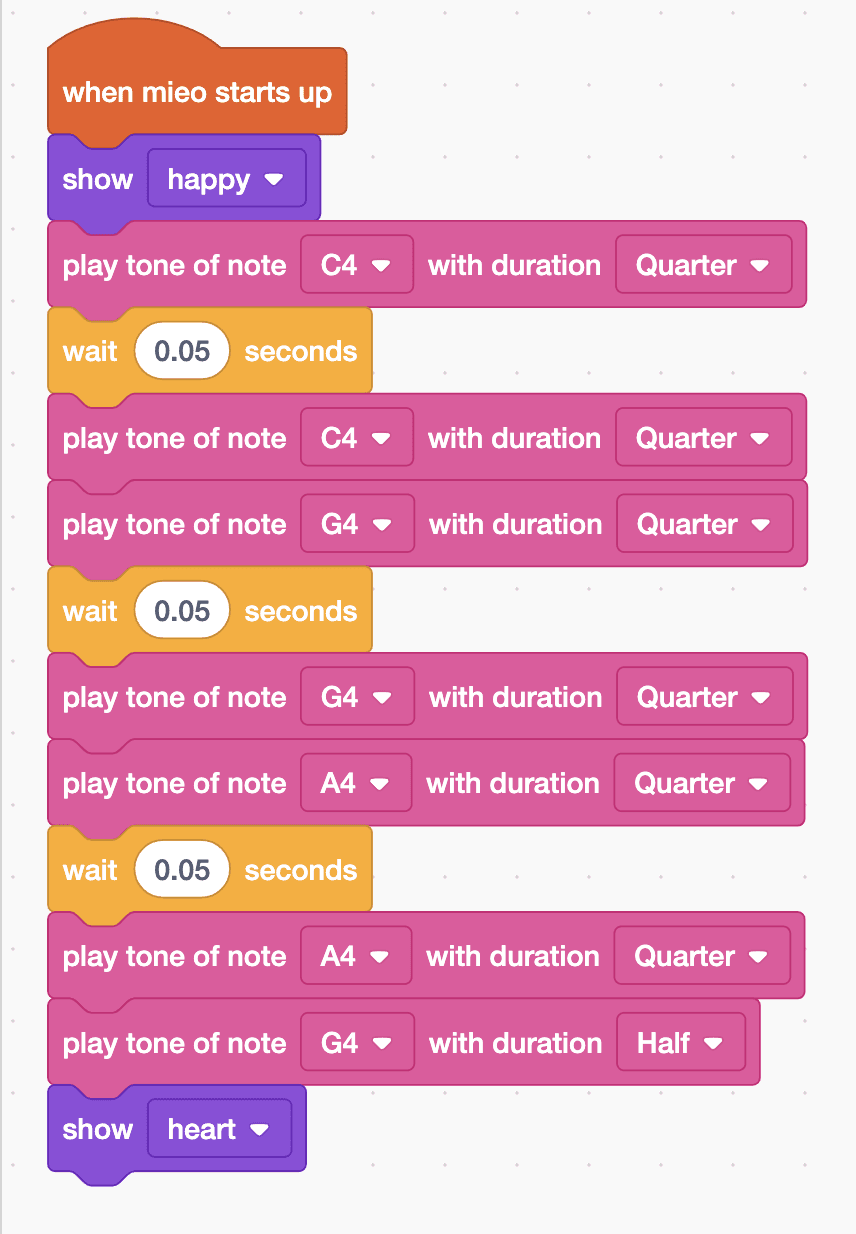
when mieo starts up
show [happy v]
play tone of note [C4 v] with duration [Quarter v]
wait (0.05) seconds
play tone of note [C4 v] with duration [Quarter v]
play tone of note [G4 v] with duration [Quarter v]
wait (0.05) seconds
play tone of note [G4 v] with duration [Quarter v]
play tone of note [A4 v] with duration [Quarter v]
wait (0.05) seconds
play tone of note [A4 v] with duration [Quarter v]
play tone of note [G4 v] with duration [Half v]
show [heart v]See the MicroPython
# generated by Robolab
import mieo

mieo.showemotion('happy')
mieo.playtone('C4', 'Quarter')
mieo.sleep(0.05 * 1000)
mieo.playtone('C4', 'Quarter')
mieo.playtone('G4', 'Quarter')
mieo.sleep(0.05 * 1000)
mieo.playtone('G4', 'Quarter')
mieo.playtone('A4', 'Quarter')
mieo.sleep(0.05 * 1000)
mieo.playtone('A4', 'Quarter')
mieo.playtone('G4', 'Half')
mieo.showemotion('heart')
Test it
When the upload finishes, MIEO smiles and plays “twin-kle twin-kle lit-tle star”. Each pair of the same note sounds like two separate beeps, and the last note is twice as long as the others. Then a heart appears and stays. The tune plays once each time MIEO starts, so switch it off and on again to hear it again.
If it doesn't work
- Two notes that are the same sound like one long note? Check there's a “wait 0.05 seconds” between them.
- The tune sounds wrong? Compare your notes with the list: C4, C4, G4, G4, A4, A4, G4.
- No sound at all? Check that the switch says Upload and that your stack starts with “when mieo starts up”.
Make it your own
- Easy: play the tune twice as fast by changing every Quarter to Eighth and the Half to Quarter.
- Medium: add the next line of the song: F4, F4, E4, E4, D4, D4, then C4 as a Half, with a wait between each pair.
- Hard: write a tune of your own, such as Happy Birthday, and show a different face for each line.