Built for Everyone in the School
Each person gets their own view, with the tools for their role.
Students
- Step-by-step courses built around MIEO
- Quizzes with instant grading
- Progress tracked lesson by lesson
- Badges for milestones
Teachers
- Classrooms with a join code
- Enrol students and assign courses
- Follow every student's progress
School admins
- Manage teachers and classrooms
- See progress across the school
OEM partners
- White-label the platform with your brand
- Manage your own network of schools
Teacher view: classroom
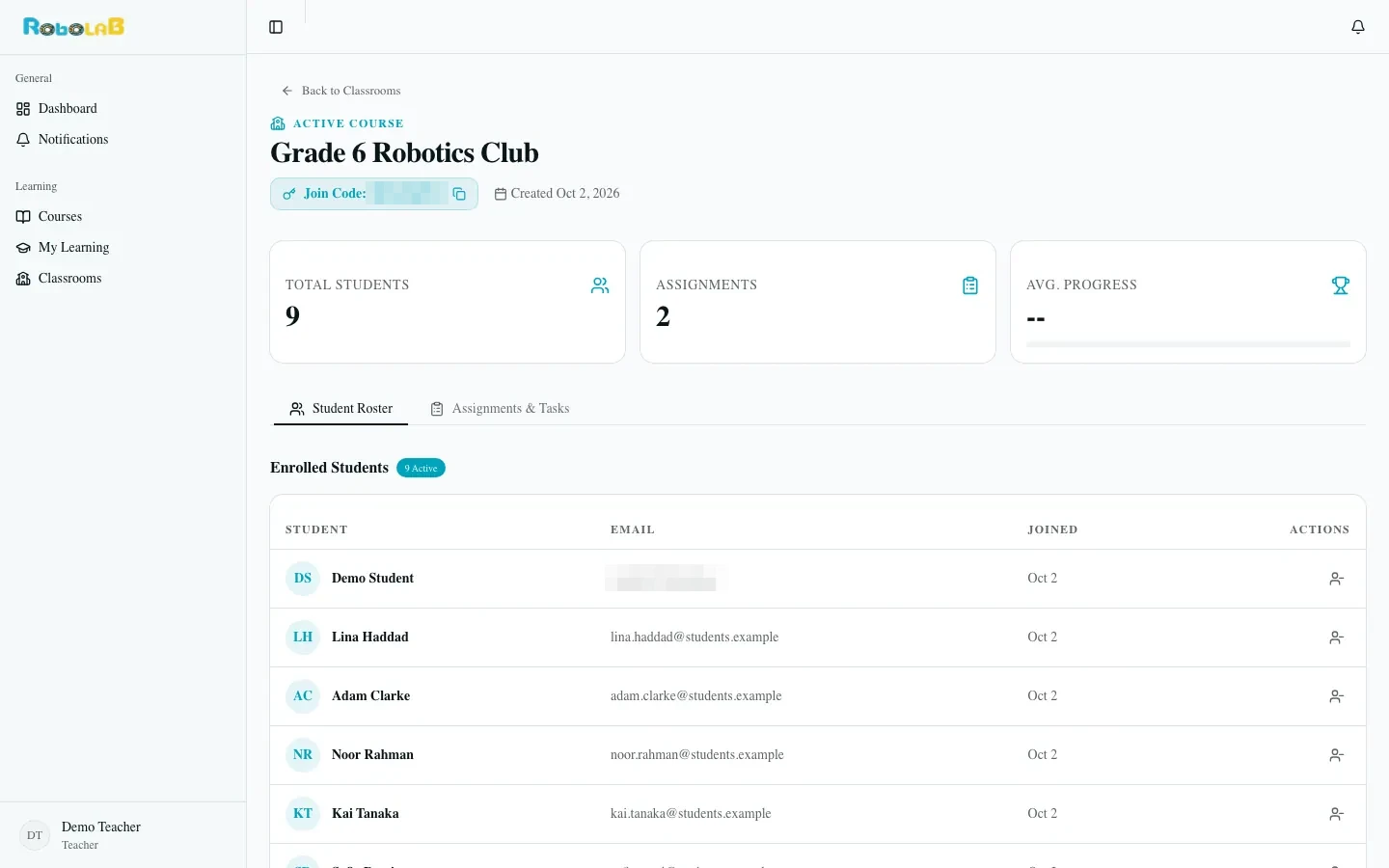
Teacher's classroom view with join code, enrolled students and assignments
Courses That Fit MIEO
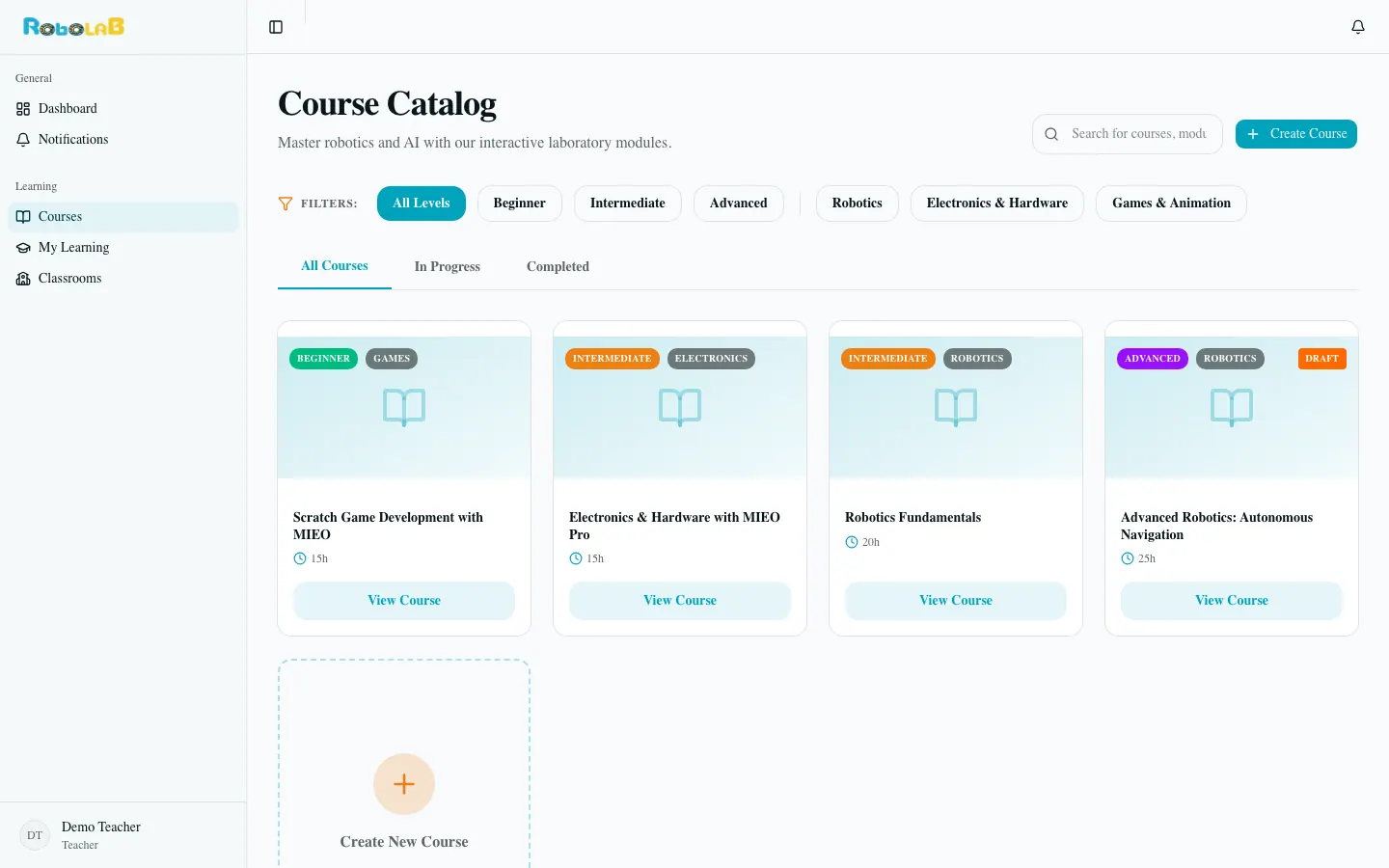
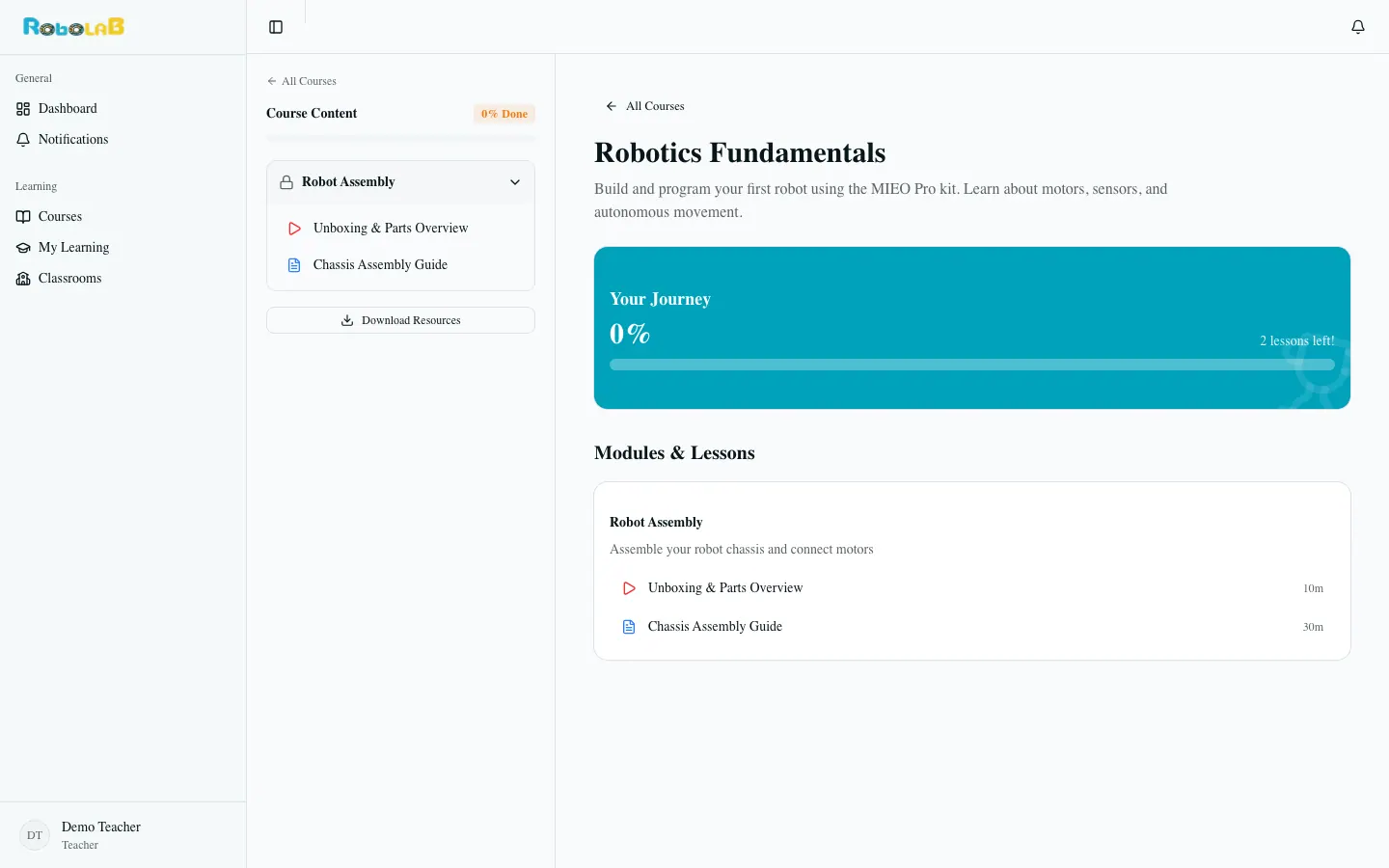
Courses are split into modules and lessons, with downloadable resources and a progress bar for every learner. Filter the catalog by level and topic.
VideoGuideWorksheetProjectQuiz
Example courses
- Scratch Game Development with MIEOBeginner
- Robotics FundamentalsIntermediate
- Electronics & Hardware with MIEO ProIntermediate
- Advanced Robotics: Autonomous NavigationAdvanced
Course page
Draft a Whole Course with AI
Teachers and course authors start from a complete draft instead of a blank page.
- 1
Type a course title, then pick a level and category
- 2
AI drafts the modules and lessons, with durations, lesson content and parts lists
- 3
Review, edit and publish. In the lesson editor, AI Write Content helps with any single lesson
RobolaB Learning Platform
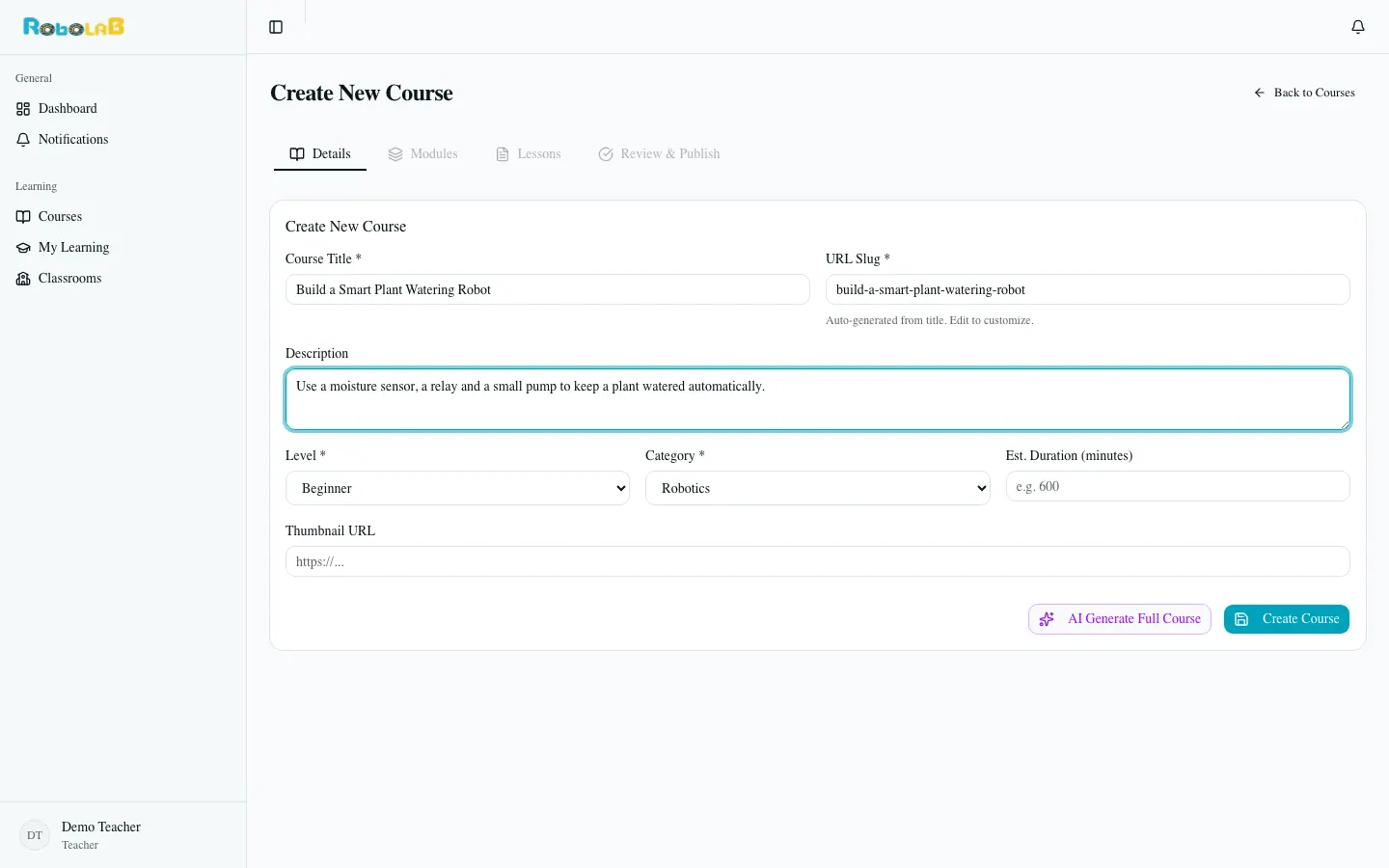
Create New Course form: enter a title, level and category, then generate the full course with AI
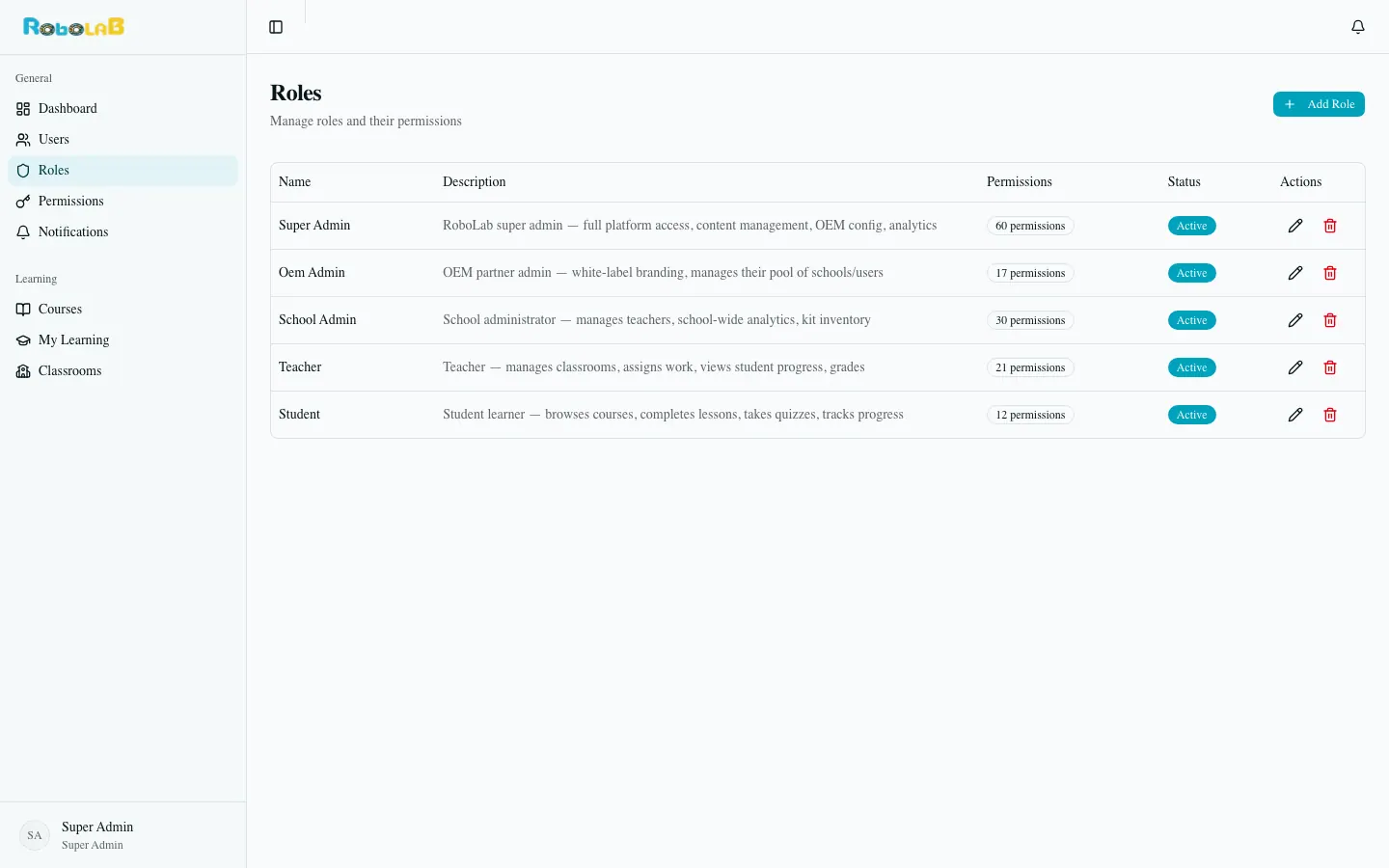
Admin view: roles
Everyone Stays in Sync
- Live in-app notifications
- Roles and permissions managed in one place
- Five roles: student, teacher, school admin, OEM partner and RobolaB admin