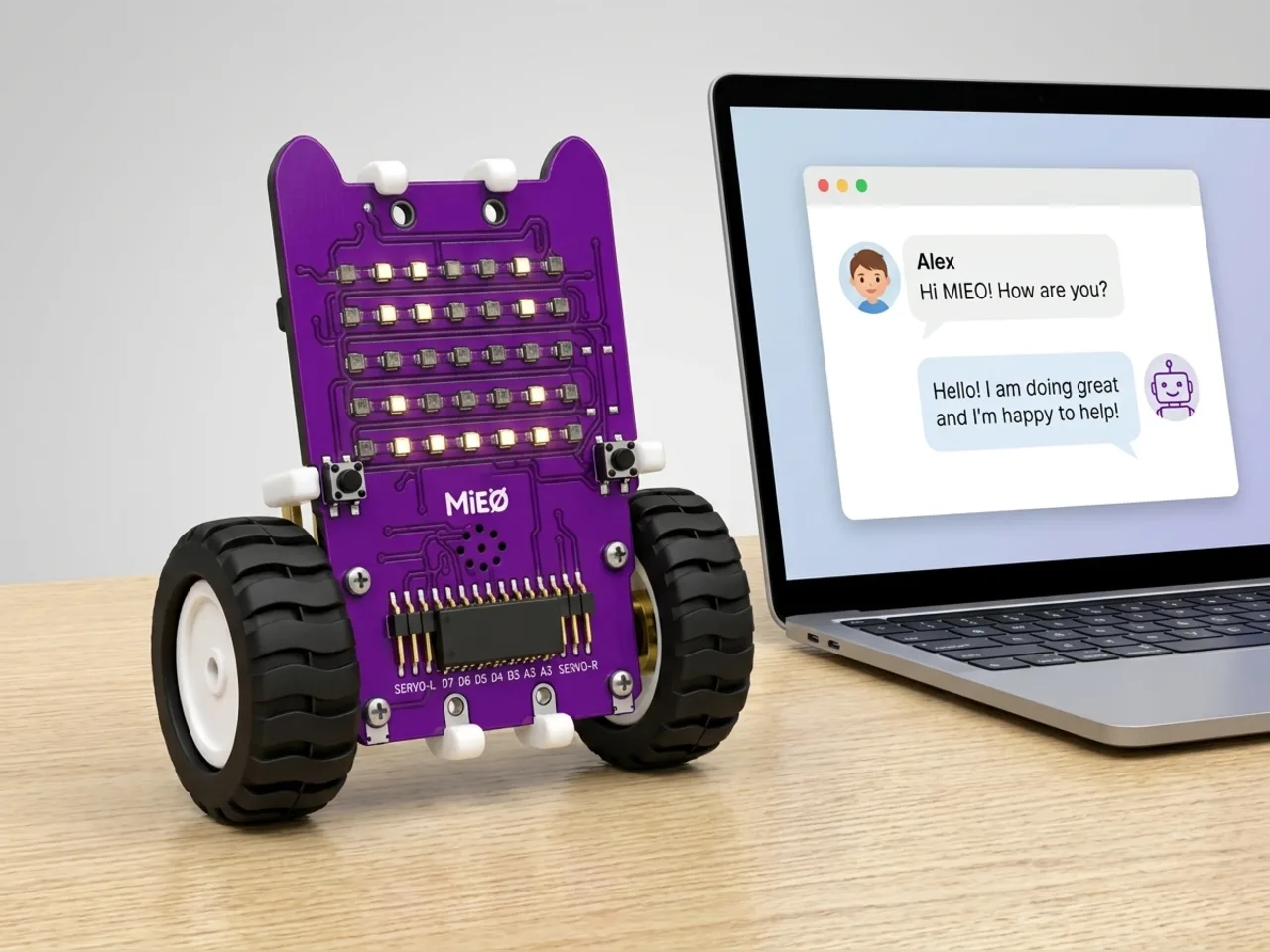
Talking Terminal Buddy
Chat with MIEO: it listens and answers on screen
What you'll build
Chatbots answer what you say by looking for key words. In this project MIEO becomes a simple chatbot. It listens for a few seconds through your computer's microphone, turns what you said into text with Speech Sense, and looks for words it knows: hello, name, joke and dance. Then it answers in a speech bubble on the stage and pulls a face to match. Speech Sense runs on your computer, with no internet, so nothing you say leaves the room.
What you'll learn
- How a simple chatbot works: listening, then looking for key words
- Checking whether text contains a word with “contains”
- Giving a different answer for each key word with “if … else”
- Taking turns in a conversation with a loop
You'll need
- Mieo board
- Battery
- 3D-printed mountings
- Screws and screwdriver
- A computer with a microphone
- A USB cable, or Bluetooth on your computer
- The Robolab app (free)
- A microphone (most laptops have one built in)
Stay safe
- Ask an adult to help with the small screws.
- The camera and microphone stay on your computer. Nothing MIEO sees or hears is sent anywhere.
Build it
- Fit the battery to the Mieo board if it isn't there already, and switch MIEO on.
- Connect MIEO to your computer with a USB cable or over Bluetooth, and stand it beside the screen.
- Check your computer's microphone works, and find a quiet spot.
Code it
- Open Robolab, choose Mieo, connect and set the switch at the top right to Arena. Add the Speech Sense extension and make a variable called heard.
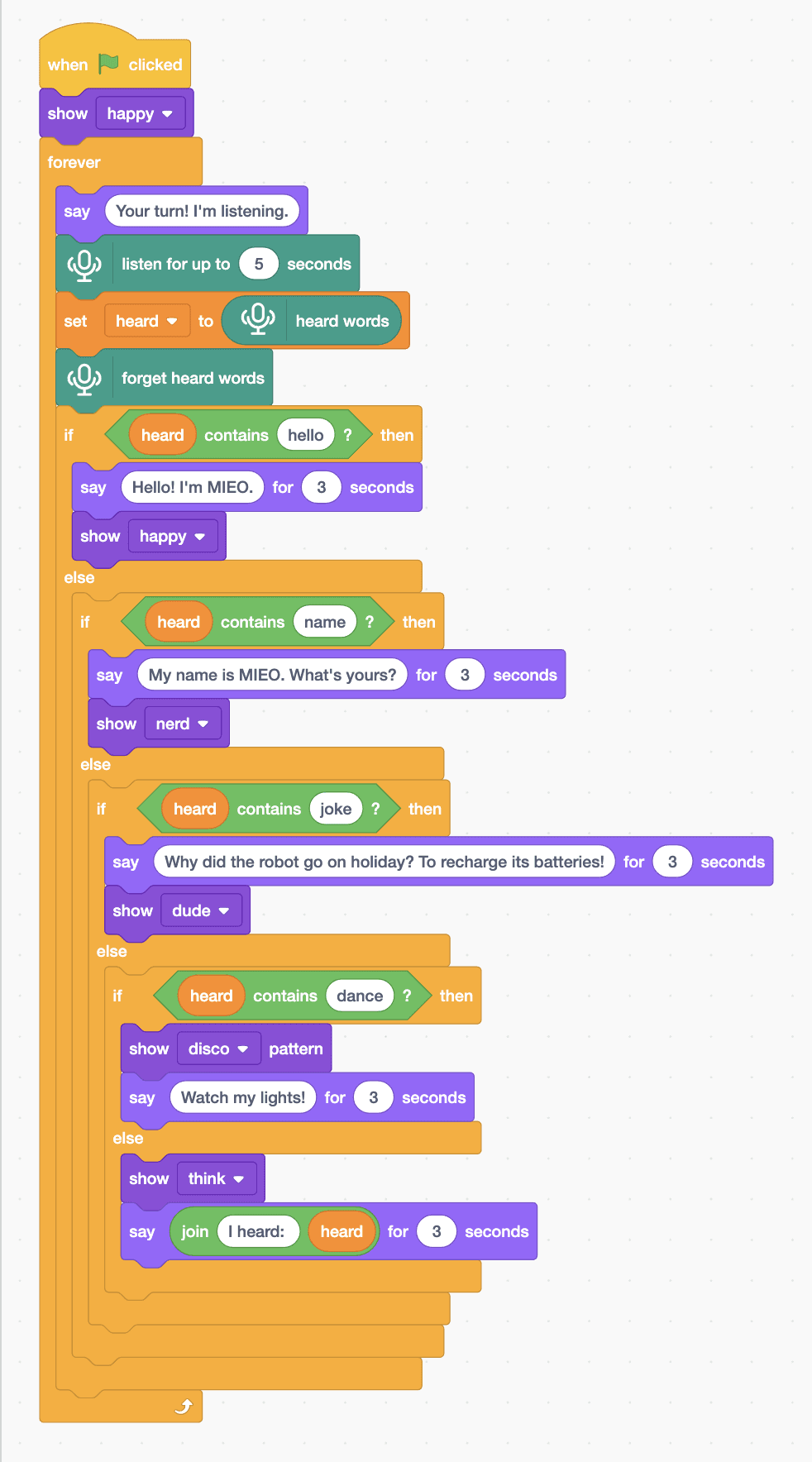
- Start with “when green flag clicked” and “show happy”, then a “forever” loop with “say Your turn! I'm listening.” and “listen for up to 5 seconds” inside.
- Add “set heard to (heard words)”, then “forget heard words”, ready for next time.
- Add a chain of “if … else” blocks using “heard contains hello?” from Operators. Hello: “say Hello! I'm MIEO. for 3 seconds” and “show happy”.
- Name: “say My name is MIEO. What's yours? for 3 seconds” and “show nerd”. Joke: “say Why did the robot go on holiday? To recharge its batteries! for 3 seconds” and “show dude”.
- Dance: “show disco pattern” and “say Watch my lights! for 3 seconds”. In the last else: “show think” and “say” with “join I heard: (heard)” for 3 seconds.
- Click the green flag, allow the microphone, and say hello when MIEO says it's your turn.
Arena mode: the program runs on your computer and talks to MIEO live over USB or Bluetooth, so keep MIEO switched on and connected.
when green flag clicked
show [happy v]
forever
  say (Your turn! I'm listening.)
  listen for up to (5) seconds
  set [heard v] to (heard words)
  forget heard words
  if <(heard) contains (hello) ?> then
    say (Hello! I'm MIEO.) for (3) seconds
    show [happy v]
  else
    if <(heard) contains (name) ?> then
      say (My name is MIEO. What's yours?) for (3) seconds
      show [nerd v]
    else
      if <(heard) contains (joke) ?> then
        say (Why did the robot go on holiday? To recharge its batteries!) for (3) seconds
        show [dude v]
      else
        if <(heard) contains (dance) ?> then
          show [disco v] pattern
          say (Watch my lights!) for (3) seconds
        else
          show [think v]
          say (join (I heard:) (heard)) for (3) seconds
        end
      end
    end
  end
endTest it
Click the green flag. The Mieo sprite says “Your turn! I'm listening.” Say “hello” and it answers “Hello! I'm MIEO.” with a smile. Ask “what's your name?” and it introduces itself, “tell me a joke” gets a joke, and “dance” sets off disco lights on MIEO. Say something else and it tells you what it heard, then it's your turn again.
If it doesn't work
- It always says “I heard:” with nothing after it? Speak during the five seconds after “Your turn!”, close to the microphone.
- It hears the wrong words? Speak clearly in a quiet room, and keep to short sentences.
- It gives the hello answer when you ask its name? It checks hello first. If you say both words, the first match wins.
Make it your own
- Easy: change MIEO's answers and faces to give it your own personality.
- Medium: add more key words, such as “weather” or “music”, with answers of their own.
- Hard: remember the person's name: when they say “my name is”, keep the last word in a variable and use it in later answers.