Smart Bumper Bot
Back up and turn away whenever something blocks the way
What you'll build
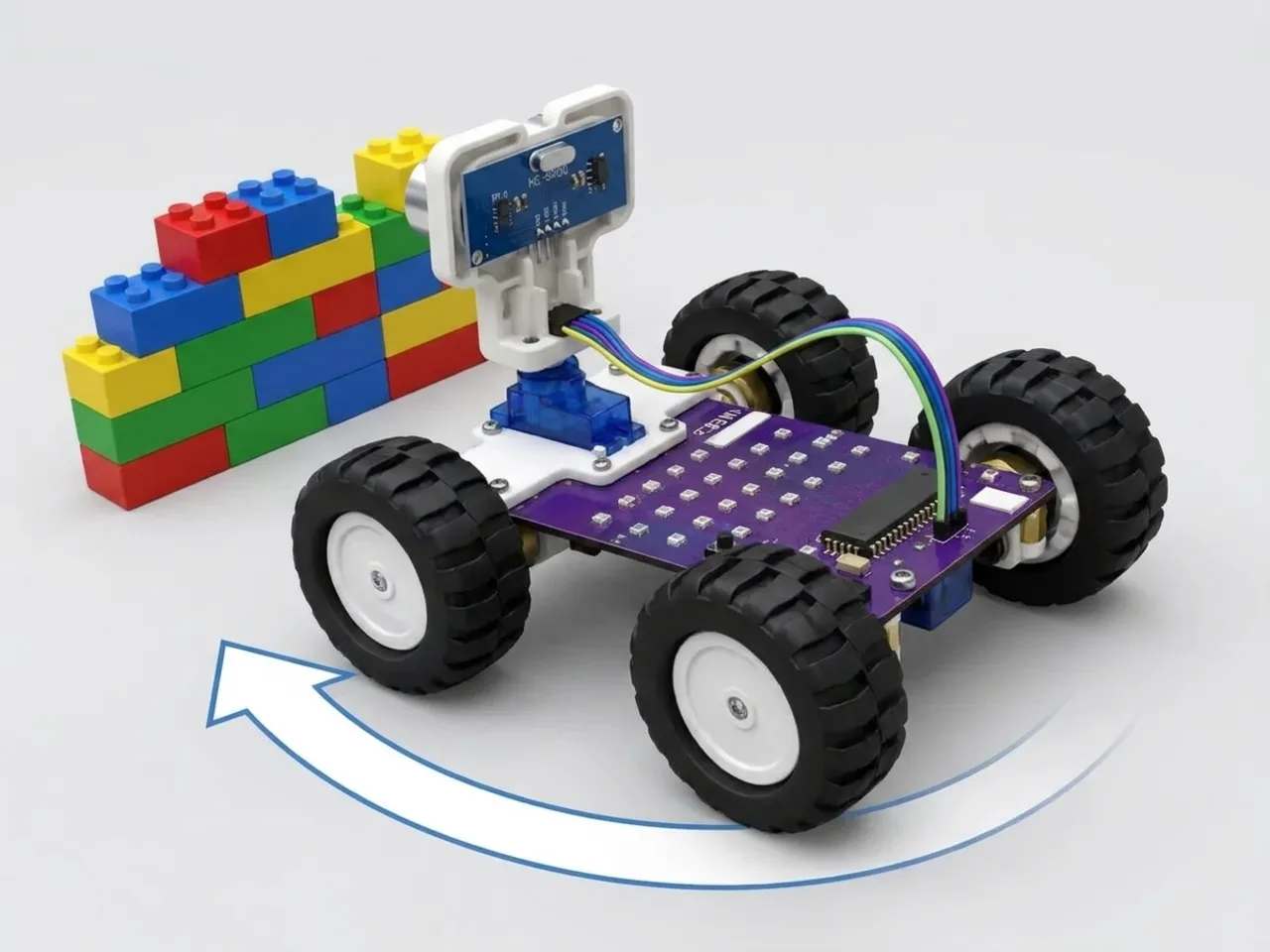
Robot vacuum cleaners explore a room by themselves. They drive until something is in the way, back off, turn and try a new direction. In this project MIEO does the same. It drives forward, watching ahead with its ultrasonic sensor, and when something comes within 20 cm it stops, reverses a little and turns away. It takes turns: left one time, right the next, so it doesn't keep turning into the same corner.
What you'll learn
- Avoiding obstacles with a sequence: stop, back up, turn
- Counting with a variable, and telling odd from even with “mod”
- Taking turns left and right so the robot explores more of the room
- Letting the robot decide for itself in a forever loop
You'll need
- Mieo board
- Two N20 motors and their wheels
- Battery
- 3D-printed mountings
- Caster wheel
- Screws and screwdriver
- Ultrasonic distance sensor and its cable
- Self-driving robot parts, from the Mieo Pro kit
- A USB cable, or Bluetooth on your computer
- The Robolab app (free)
Stay safe
- Ask an adult to help with the small screws.
- Lift MIEO's wheels off the table before you upload a driving program, so it can't drive off the edge.
- Plug extra parts only into the connector this page names. Wiring a part to the wrong connector can damage it for good.
Build it
- Build the self-driving robot from your Mieo Pro kit, with both N20 motors, their wheels, the caster wheel and the battery, as the Mieo Pro build guide shows.
- With MIEO switched off, plug in the ultrasonic distance sensor: its Echo pin goes to D1, its Trig pin to D2, and its power and ground pins to the matching pins.
- Fix the sensor at the front, facing forward, low enough to see chair legs and boxes.
- Switch MIEO on and connect it to your computer with a USB cable or Bluetooth.
Code it
- Open Robolab, choose Mieo, connect and set the switch at the top right to Upload. Make two variables, distance and turns.
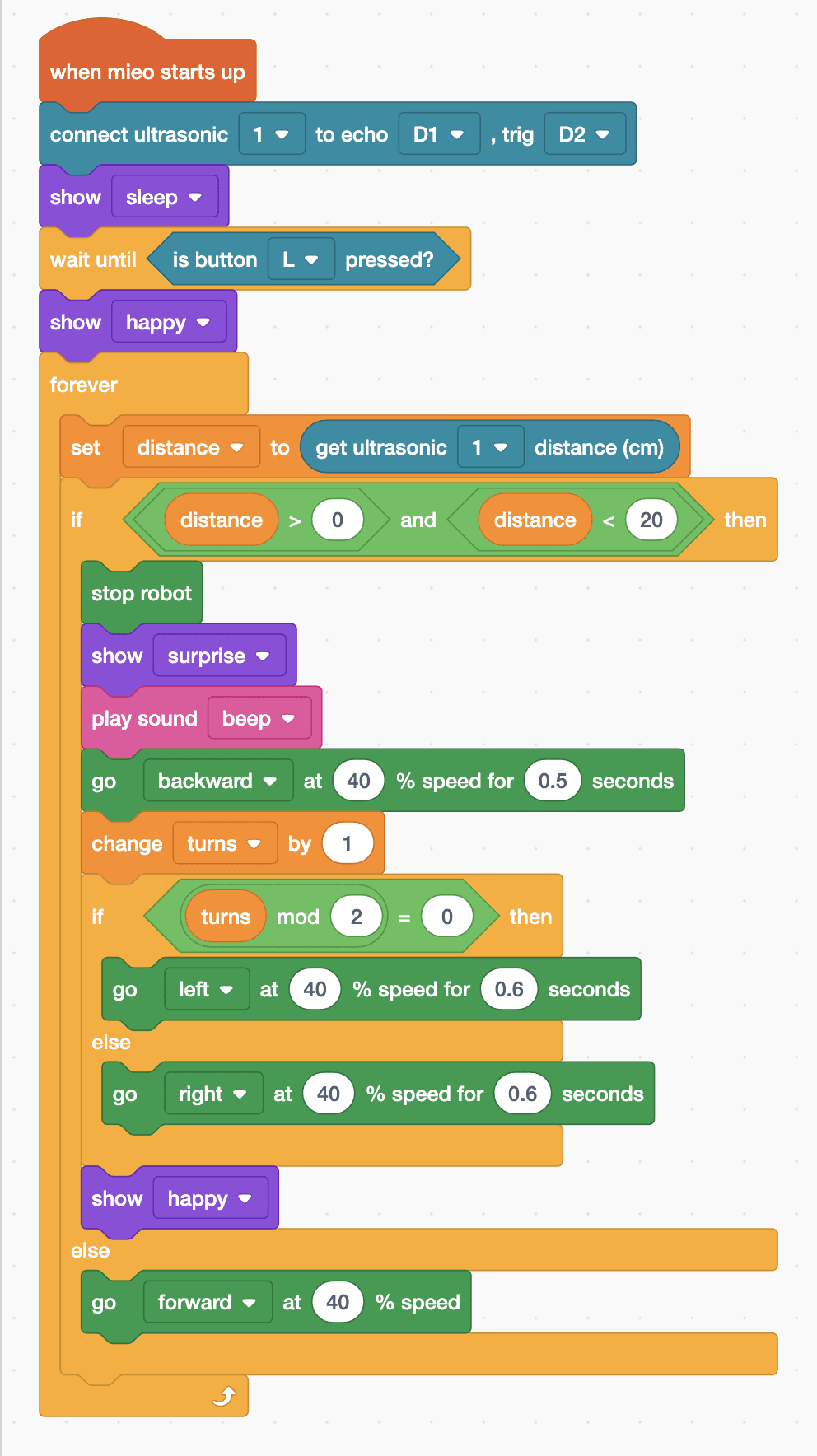
- Start with “when mieo starts up”, “connect ultrasonic 1 to echo D1 , trig D2”, “show sleep”, “wait until is button L pressed?” and “show happy”.
- Add a “forever” loop with “set distance to (get ultrasonic 1 distance (cm))” inside, then “if … else” with “distance > 0 and distance < 20” as its condition.
- In the top part: “stop robot”, “show surprise”, “play sound beep” and “go backward at 40 % speed for 0.5 seconds”.
- Still in the top part, add “change turns by 1”, then “if … else” with “turns mod 2 = 0”: an even count turns left with “go left at 40 % speed for 0.6 seconds”, an odd one turns right. Then add “show happy”.
- In the else part of the first “if … else”, add “go forward at 40 % speed”. Lift the wheels, upload, then put MIEO in a room with a few boxes and press L.
Upload mode: Robolab turns your blocks into MicroPython and sends them to MIEO over USB or Bluetooth. MIEO then runs the program by itself, even after you unplug it.
when mieo starts up
connect ultrasonic [1 v] to echo [D1 v] , trig [D2 v]
show [sleep v]
wait until <is button [L v] pressed?>
show [happy v]
forever
  set [distance v] to (get ultrasonic [1 v] distance (cm))
  if <<(distance) > (0)> and <(distance) < (20)>> then
    stop robot
    show [surprise v]
    play sound [beep v]
    go [backward v] at (40) % speed for (0.5) seconds
    change [turns v] by (1)
    if <((turns) mod (2)) = (0)> then
      go [left v] at (40) % speed for (0.6) seconds
    else
      go [right v] at (40) % speed for (0.6) seconds
    end
    show [happy v]
  else
    go [forward v] at (40) % speed
  end
endSee the MicroPython
# generated by Robolab
import mieo

distance = 0
turns = 0

mieo.connectultrasonic(1, 'D1', 'D2')
mieo.showemotion('sleep')
while not mieo.button('L'):
   pass
mieo.showemotion('happy')
while True:
  distance = mieo.ultrasonic(1)
  if distance > 0 and distance < 20:
    mieo.stoprobot()
    mieo.showemotion('surprise')
    mieo.playsound('beep')
    mieo.run('backward', 40)
    mieo.sleep(0.5 * 1000)
    mieo.stoprobot()
    turns += 1
    if turns % 2 == 0:
      mieo.run('left', 40)
      mieo.sleep(0.6 * 1000)
      mieo.stoprobot()
    else:
      mieo.run('right', 40)
      mieo.sleep(0.6 * 1000)
      mieo.stoprobot()
    mieo.showemotion('happy')
  else:
    mieo.run('forward', 40)
Test it
MIEO sleeps until you press L, then sets off across the room. When a box or a wall comes within about 20 cm, it stops, looks surprised, beeps, backs up a little and turns right, then drives on. At the next obstacle it turns left, then right again, and so on. It keeps exploring until you switch it off.
If it doesn't work
- MIEO still bumps into things? Raise 20 to 30 so it has more room to stop, or slow it down.
- It doesn't see chair legs? Thin things send back very little echo. Test with boxes and walls first.
- It turns too little and hits the same thing again? Make the turns longer, such as 0.9 seconds.
Make it your own
- Easy: change the faces and the sound MIEO makes when it finds something.
- Medium: make MIEO turn further each time it meets something, by working out the turn time from the turns variable.
- Hard: count the obstacles MIEO meets in a variable, and after the tenth, stop and scroll the count across the display.