Name Animation
Make each letter of your name spin, grow and change colour
What you'll build
Spell your name in glowing letters on a starry sky, then bring each letter to life. Click the first letter and it spins round once. Click the second and it grows to twice its size and shrinks back. Click the third and its colour slides through the rainbow. This page spells MIA, but you can use the letters of your own name. Each letter is its own sprite with its own scripts, and a repeat loop turns lots of tiny changes into smooth animation.
What you'll learn
- Giving each sprite its own scripts
- How a repeat loop turns small changes into smooth animation
- Turning by degrees: 24 turns of 15 degrees make 360, one full spin
- Changing a sprite's size and colour with Looks blocks
- Using “when green flag clicked” to put everything back where it started
You'll need
Set up the stage
- Open Robolab and leave “No device selected” as it is, because this project runs on screen.
- Click the “Choose a Sprite” button and type Glow in the search box. Add a glowing letter for each letter of your name. For MIA, add Glow-M, Glow-I and Glow-A.
- Delete Roby: right-click Roby in the sprite list and choose delete.
- Click the “Choose a Backdrop” button and pick Stars.
Code it
- Click Glow-M. Add “when green flag clicked”, “go to x: -120 y: 0” and “point in direction 90”, so the letter starts in its place, the right way up.
- Add a second script: “when this sprite clicked”, “start sound pop”, then “repeat 24” with “turn ↻ 15 degrees” inside.
- Click Glow-I. Add “when green flag clicked”, “go to x: 0 y: 0” and “set size to 100 %”.
- Add “when this sprite clicked” with two loops: “repeat 10” with “change size by 10” inside, then “repeat 10” with “change size by -10” inside.
- Click Glow-A. Add “when green flag clicked”, “go to x: 120 y: 0” and “clear graphic effects”.
- Add “when this sprite clicked” and “repeat 25” with “change color effect by 8” and “wait 0.05 seconds” inside.
- Click the green flag, then click each letter in turn.
This project runs on screen in Robolab, so you don't need MIEO for it.
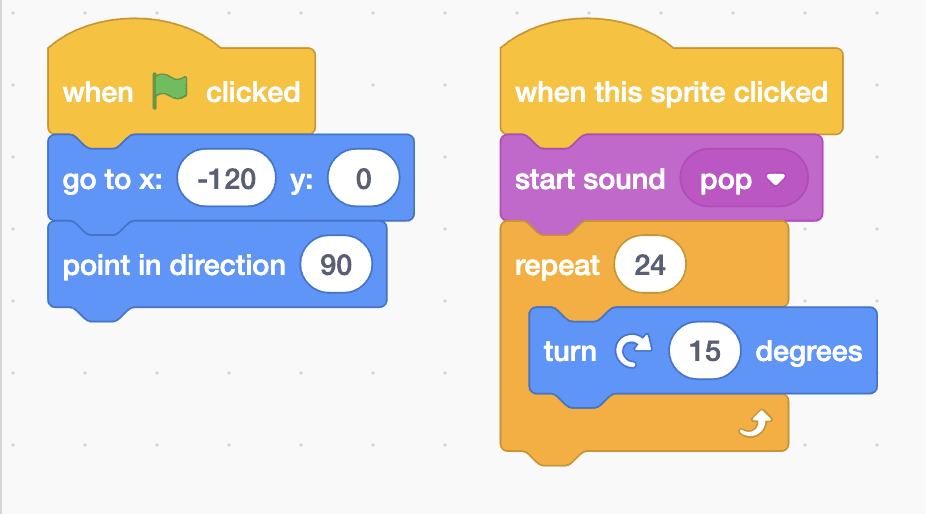
when green flag clicked
go to x: (-120) y: (0)
point in direction (90)

when this sprite clicked
start sound [pop v]
repeat (24)
  turn (15) degrees
end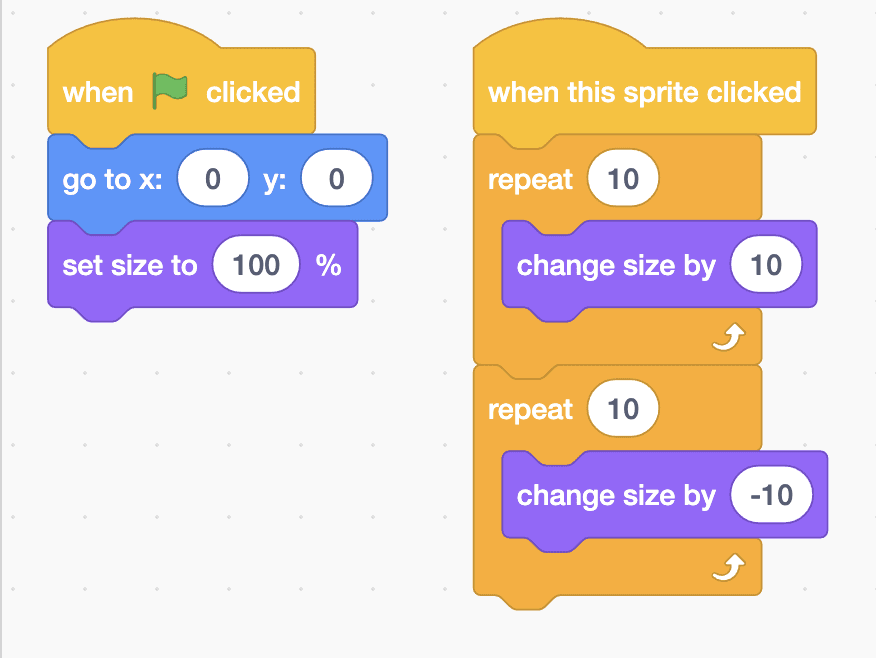
when green flag clicked
go to x: (0) y: (0)
set size to (100) %

when this sprite clicked
repeat (10)
  change size by (10)
end
repeat (10)
  change size by (-10)
end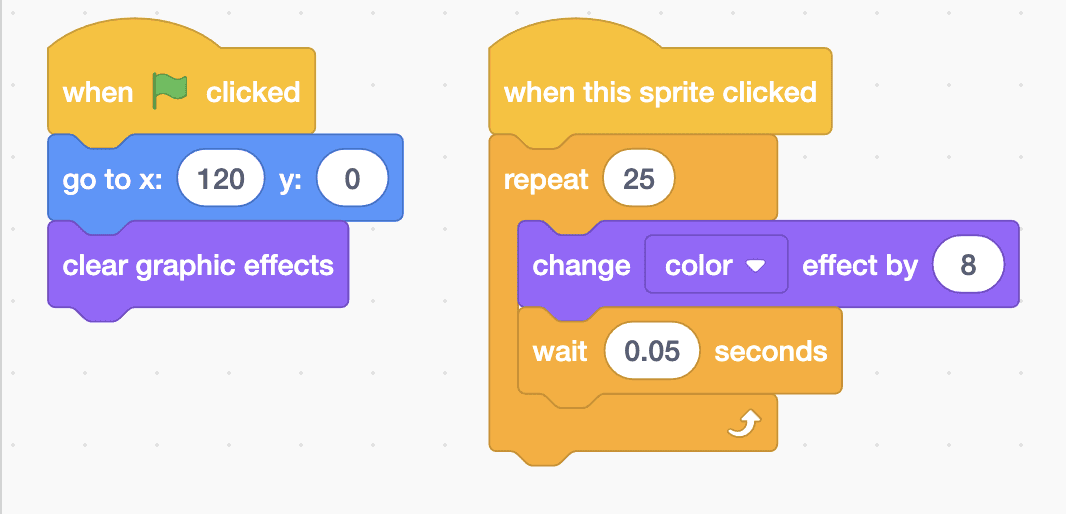
when green flag clicked
go to x: (120) y: (0)
clear graphic effects

when this sprite clicked
repeat (25)
  change [color v] effect by (8)
  wait (0.05) seconds
endTest it
Click the green flag and the three letters line up across the starry sky. Click the M: it pops and spins round exactly once. Click the I: it grows to twice its size, then shrinks back. Click the A: its colour slides all the way round the rainbow and lands back on its own colour. Click the green flag again to put every letter back the way it started.
If it doesn't work
- A letter ends up tipped over? Check that “point in direction 90” is in its green flag script, then click the green flag.
- The I keeps getting bigger? The first “repeat 10” needs “change size by 10” and the second needs “change size by -10”.
- Nothing happens when you click? Click on the glowing letter itself, not the dark sky around it.
Make it your own
- Easy: spell your own name with your own Glow letters, and spread them out with different x numbers.
- Medium: add “when space key pressed” to every letter, with a different move for each, so one key makes them all dance.
- Hard: make the letters animate one after another by themselves, using “wait” blocks, like the title of a film.