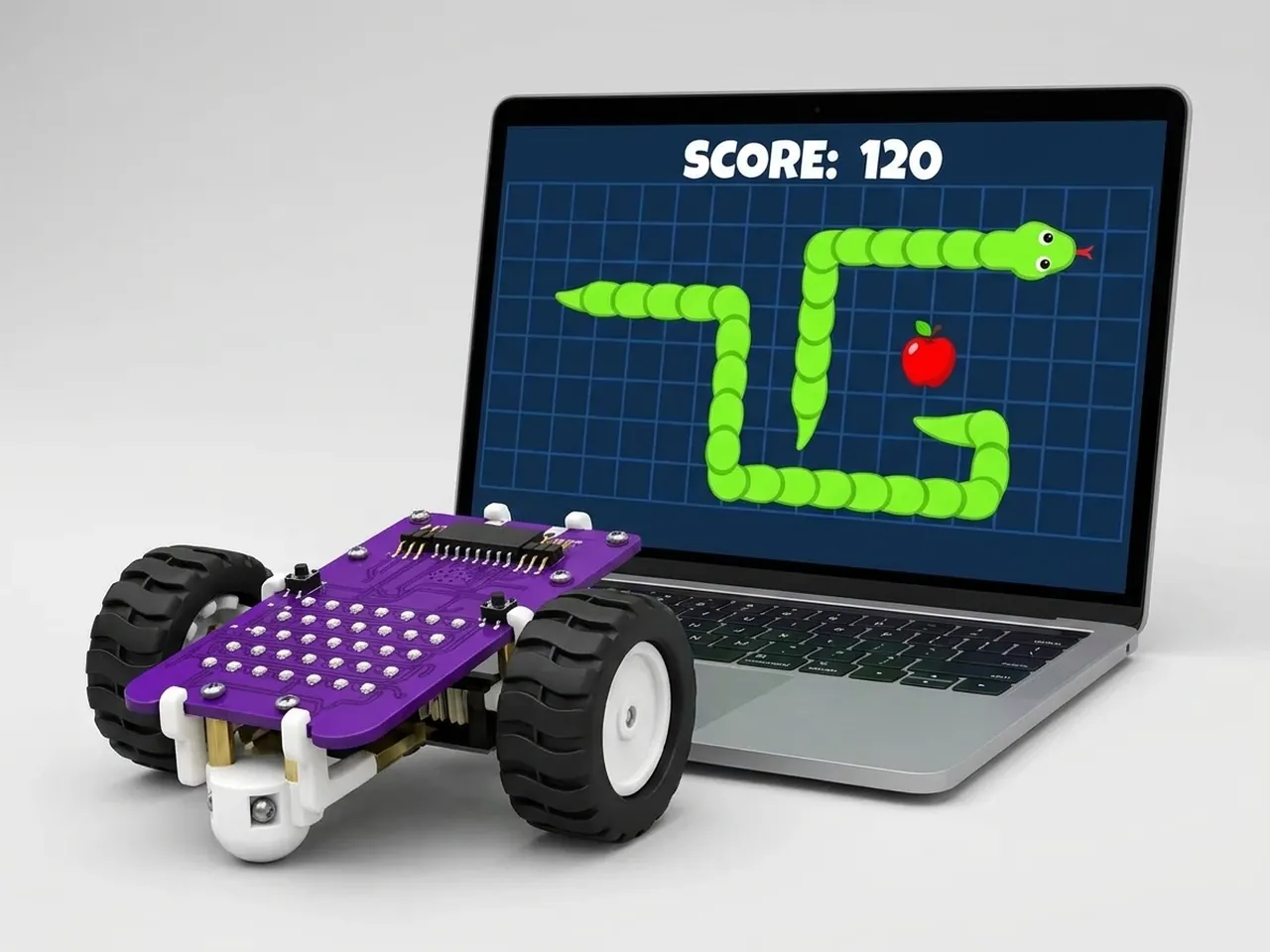
Snake Game
Grow a snake by eating apples without hitting your own tail
What you'll build
Guide a hungry snake around a grid with the arrow keys. Every apple it eats makes it one piece longer, and touching the edge of the stage ends the game. The snake's head is a ball that moves one square at a time. Before every move it leaves a clone of itself behind, and each clone waits a moment, then disappears. The longer the snake, the longer each clone waits, so the tail grows as you eat.
What you'll learn
- Using clones as a trail that tidies itself away
- Steering with “when key pressed” and directions: 0 is up, 90 right, 180 down and 270 left
- Doing maths with a variable, such as length * 0.15
- Setting the speed of a game with “wait”
- Ending a game when a sprite touches the edge
You'll need
Set up the stage
- Open Robolab and leave “No device selected” as it is, because this game runs on screen.
- Click the “Choose a Sprite” button and add Ball and Apple from the library. The ball is the snake's head.
- Delete Roby: right-click Roby in the sprite list and choose delete.
- Click the “Choose a Backdrop” button and pick Xy-grid-20px. Its squares are 20 steps wide, the same as one snake move.
- In the Variables group, click “Make a Variable” and name it length. Leave its box ticked so the length shows on the stage.
Code it
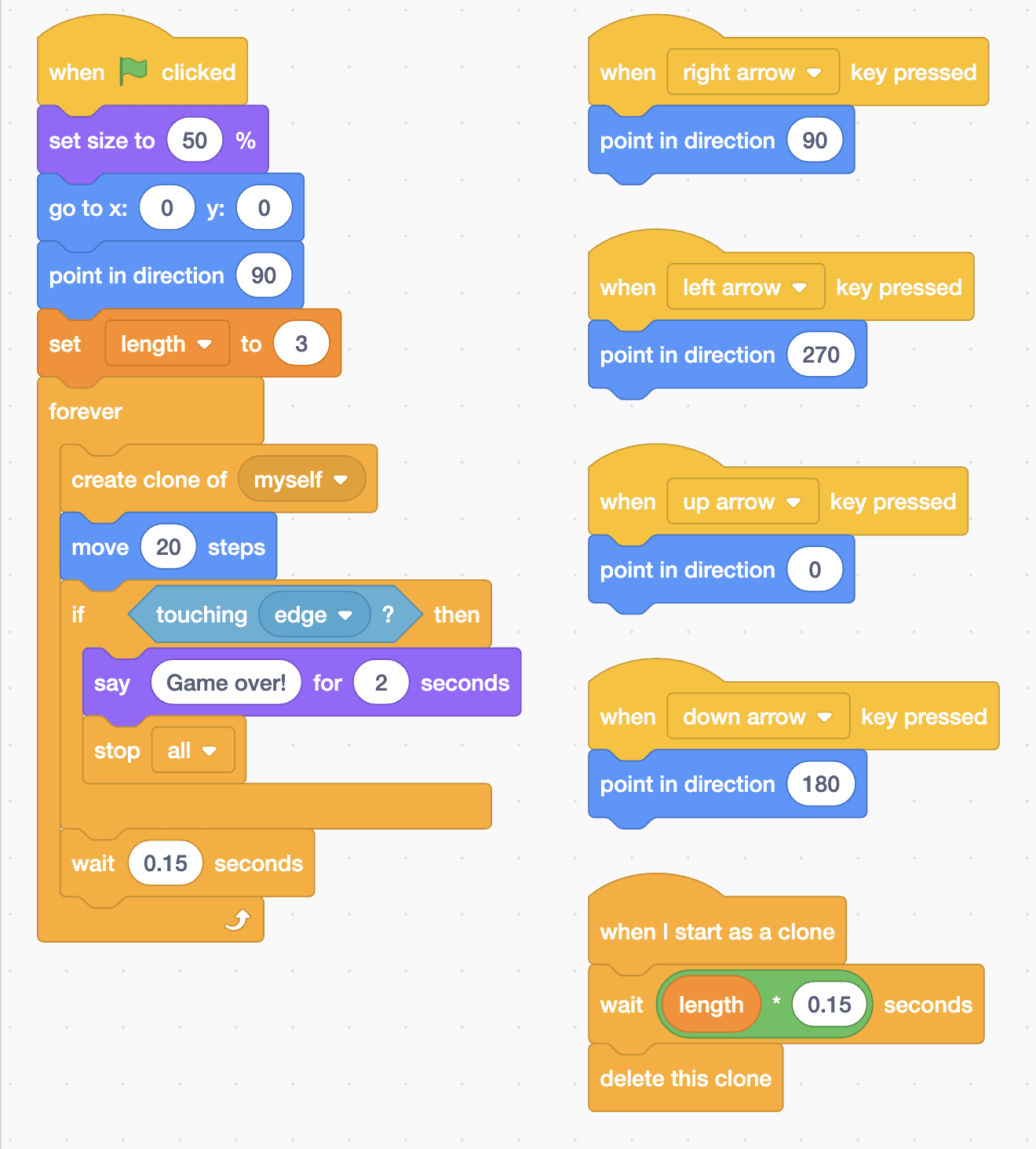
- Click Ball. Add “when green flag clicked”, “set size to 50 %”, “go to x: 0 y: 0”, “point in direction 90” and “set length to 3”.
- Add a “forever” loop with “create clone of myself”, “move 20 steps” and “wait 0.15 seconds” inside. Between the move and the wait, add “if touching edge? then” with “say Game over! for 2 seconds” and “stop all”.
- Add four short scripts for steering: “when right arrow key pressed” with “point in direction 90”, left arrow with 270, up arrow with 0 and down arrow with 180.
- Add the tail script: “when I start as a clone”, then “wait” with a “*” (multiply) block in its gap, holding length and 0.15, then “delete this clone”.
- Click Apple. Add “when green flag clicked”, “set size to 50 %” and “go to random position”.
- Add a “forever” loop with “if touching Ball? then” inside. In the if, add “change length by 1”, “start sound Chomp” and “go to random position”.
This project runs on screen in Robolab, so you don't need MIEO for it.
when green flag clicked
set size to (50) %
go to x: (0) y: (0)
point in direction (90)
set [length v] to (3)
forever
  create clone of [myself v]
  move (20) steps
  if <touching [edge v] ?> then
    say (Game over!) for (2) seconds
    stop [all v]
  end
  wait (0.15) seconds
end

when [right arrow v] key pressed
point in direction (90)

when [left arrow v] key pressed
point in direction (270)

when [up arrow v] key pressed
point in direction (0)

when [down arrow v] key pressed
point in direction (180)

when I start as a clone
wait ((length) * (0.15)) seconds
delete this clone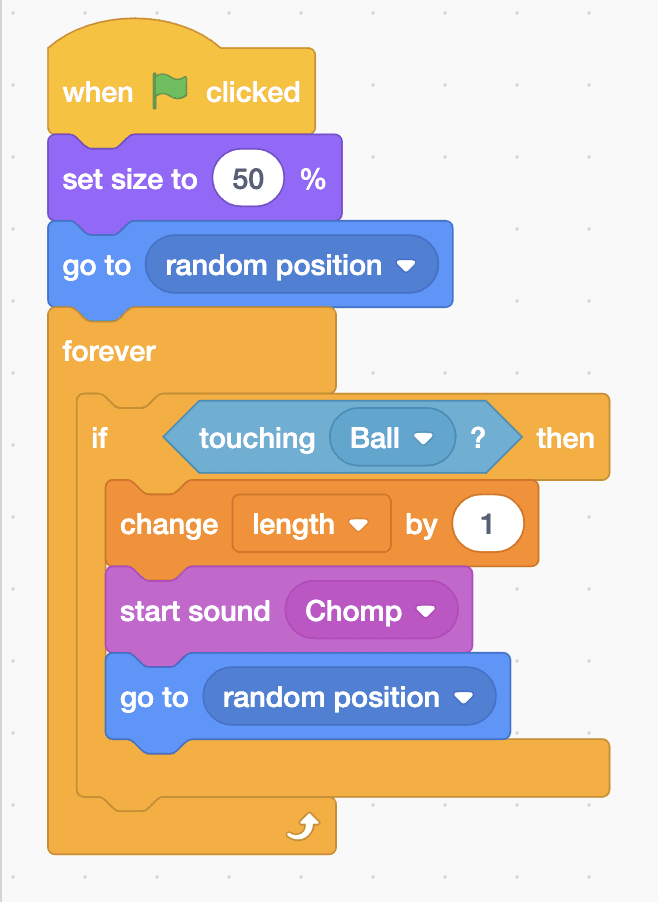
when green flag clicked
set size to (50) %
go to [random position v]
forever
  if <touching [Ball v] ?> then
    change [length v] by (1)
    start sound [Chomp v]
    go to [random position v]
  end
endTest it
Click the green flag. The snake starts in the middle of the grid and slides to the right, a short trail of balls following its head. The arrow keys turn it up, down, left and right. Steer onto the apple: you hear a chomp, the length goes up by one, the tail gets longer and a new apple appears somewhere else. Touch the edge of the stage and the snake says “Game over!” before the game stops.
If it doesn't work
- No tail? The forever loop needs “create clone of myself” before “move 20 steps”, and the clone script must start with “when I start as a clone”.
- The tail never shrinks? Check that “delete this clone” comes after the wait in the clone script.
- The snake is too fast to steer? Make the 0.15 in both waits bigger, such as 0.25.
Make it your own
- Easy: start with a longer snake by setting length to 6.
- Medium: make the game speed up as the snake grows, by using a speed variable in the wait instead of 0.15 and making it smaller each time you eat.
- Hard: end the game when the snake bites its own tail. Give the tail its own sprite, so the head can check whether it's touching it.