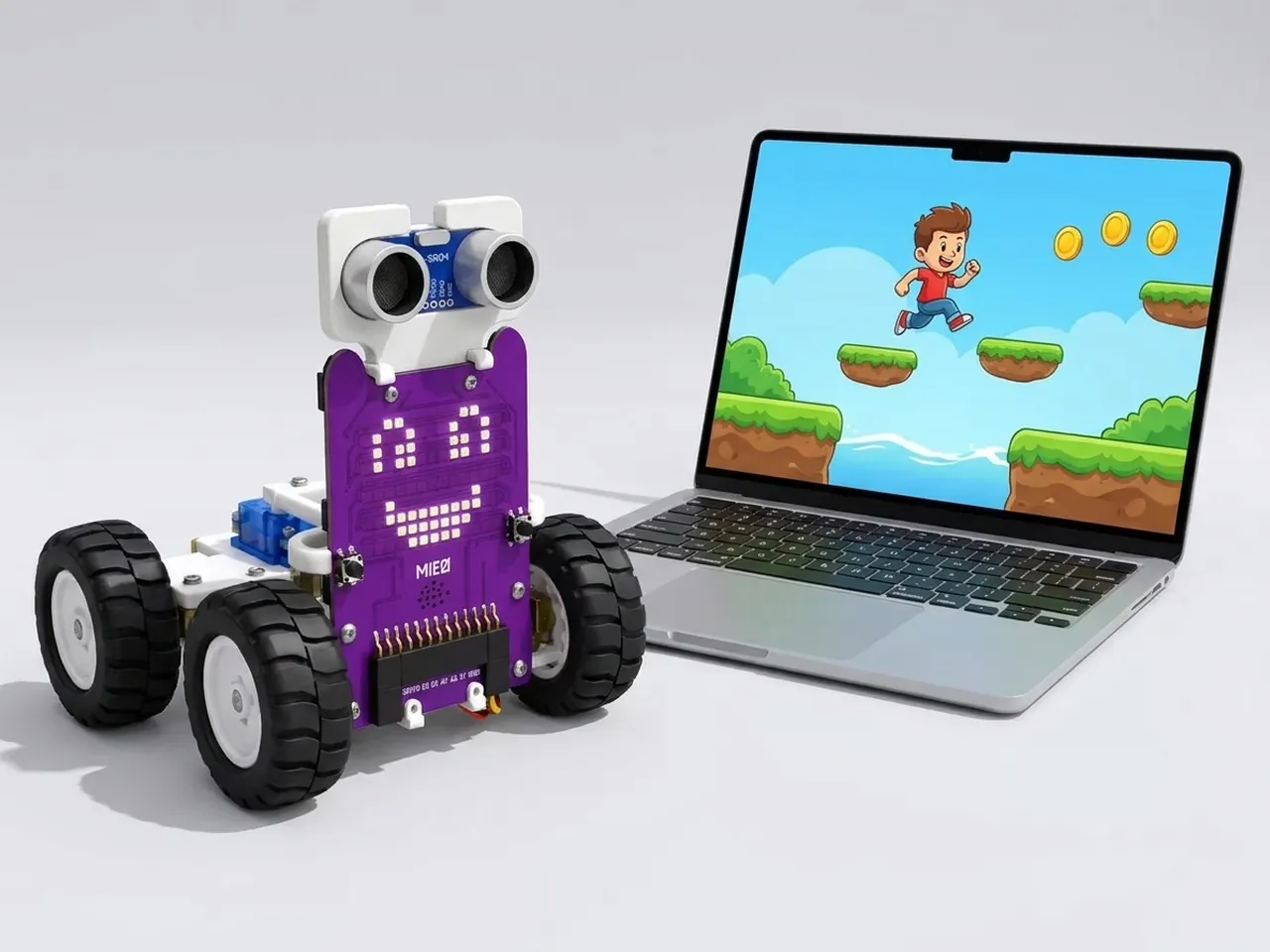
Parkour Platformer
Run and jump across platforms with gravity and scrolling
What you'll build
Roby is running across a row of floating platforms high in the sky. The platforms slide in from the right, each at a different height, and Roby has to jump from one to the next with the space bar. Miss a jump and Roby falls; the game tells you how many seconds you lasted. You'll write your own gravity: a speed that gets a little more downward every moment, just like a real fall, and a jump that throws it upward again.
What you'll learn
- Making gravity with a speed variable that changes every frame
- Landing on platforms by undoing a move that ends up inside one
- Scrolling: moving the world past the player instead of moving the player
- Making endless platforms from clones at random heights
- Running a game's timer and score at the same time as the action
You'll need
Set up the stage
- Open Robolab and leave “No device selected” as it is, because this game runs on screen. Roby is the runner, so keep Roby.
- Click the “Choose a Sprite” button and add Paddle from the library. It will be every platform in the game.
- Click the “Choose a Backdrop” button and pick Blue Sky.
- In the Variables group, click “Make a Variable” and name it y speed. Untick its box: the player doesn't need to see it.
Code it
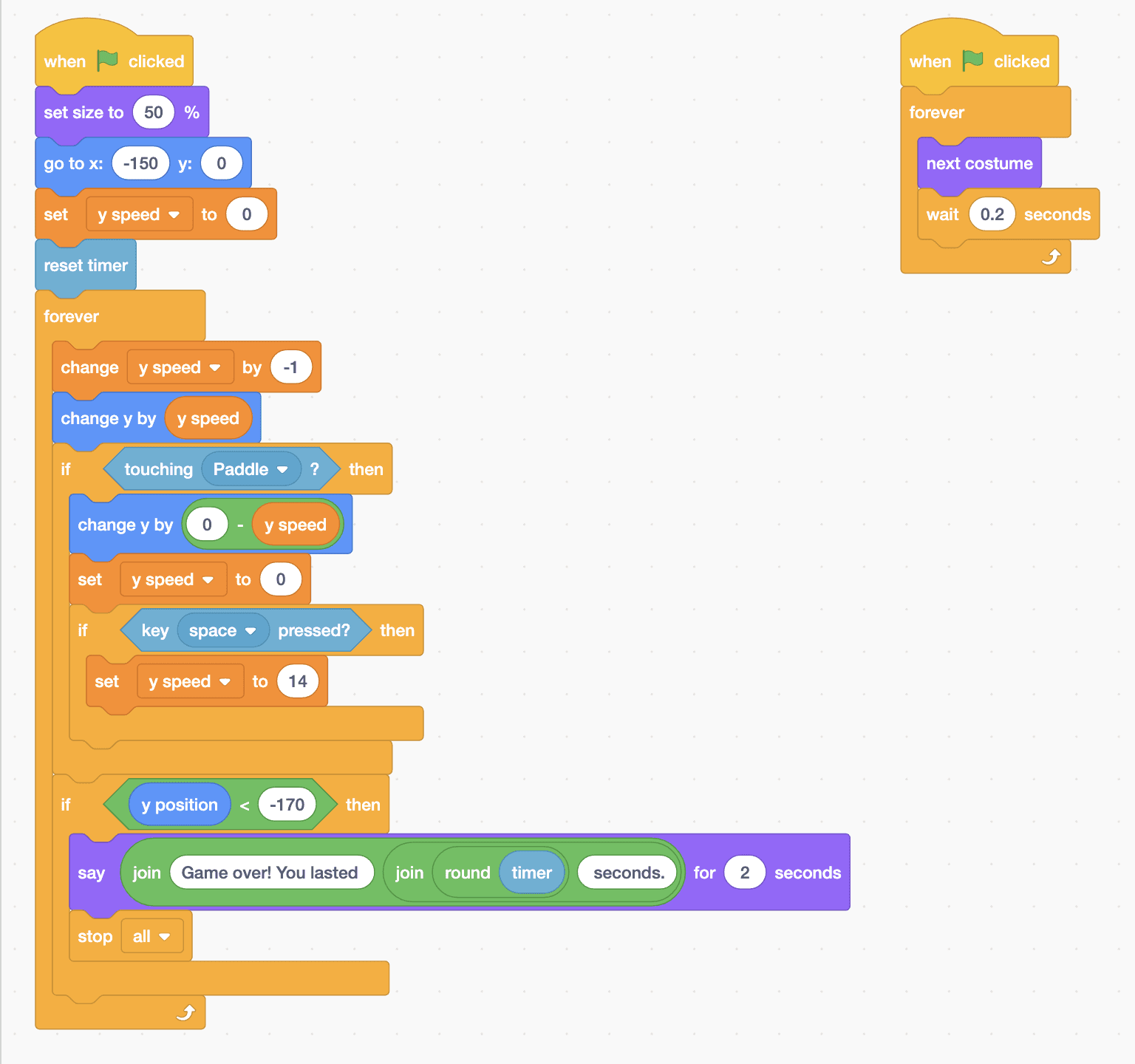
- Click Roby. Add “when green flag clicked”, “set size to 50 %”, “go to x: -150 y: 0”, “set y speed to 0” and “reset timer”.
- Add a “forever” loop. Inside it, put “change y speed by -1” and “change y by (y speed)”. That's gravity: every frame Roby falls a little faster.
- Still inside the loop, add “if touching Paddle? then”. Inside it: “change y by (0 - y speed)” to step back out of the platform, “set y speed to 0”, and “if key space pressed? then set y speed to 14”. Roby can only jump while standing on something.
- Add “if y position < -170 then” to the loop, with “say” and joins reading Game over! You lasted, then “round timer”, then seconds. for 2 seconds, followed by “stop all”.
- Make Roby run: add a second “when green flag clicked” with a “forever” loop holding “next costume” and “wait 0.2 seconds”.
- Click Paddle. Give it a starting platform: “when green flag clicked”, “go to x: -150 y: -80”, “show”, “wait 4 seconds” and “hide”.
- Add a second Paddle script: “when green flag clicked” and a “forever” loop with “create clone of myself” and “wait 1.4 seconds”.
- Add the clone script: “when I start as a clone”, “go to x: 240 y: (pick random -100 to -30)”, “show”, then “repeat 120” with “change x by -4” inside, and “delete this clone”.
This project runs on screen in Robolab, so you don't need MIEO for it.
when green flag clicked
set size to (50) %
go to x: (-150) y: (0)
set [y speed v] to (0)
reset timer
forever
  change [y speed v] by (-1)
  change y by (y speed)
  if <touching [Paddle v] ?> then
    change y by ((0) - (y speed))
    set [y speed v] to (0)
    if <key [space v] pressed?> then
      set [y speed v] to (14)
    end
  end
  if <(y position) < (-170)> then
    say (join (Game over! You lasted) (join (round (timer)) (seconds.))) for (2) seconds
    stop [all v]
  end
end

when green flag clicked
forever
  next costume
  wait (0.2) seconds
end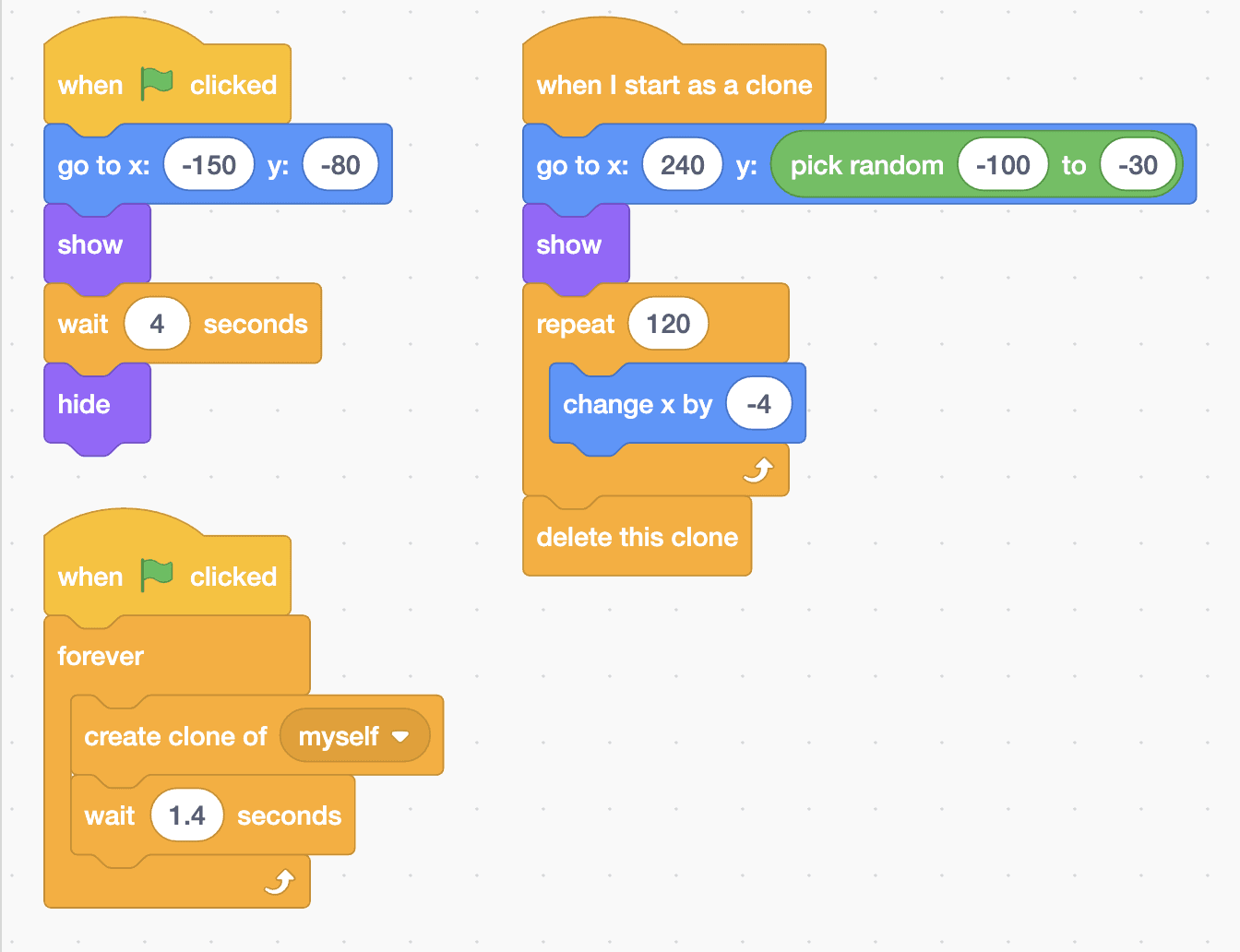
when green flag clicked
go to x: (-150) y: (-80)
show
wait (4) seconds
hide

when green flag clicked
forever
  create clone of [myself v]
  wait (1.4) seconds
end

when I start as a clone
go to x: (240) y: (pick random (-100) to (-30))
show
repeat (120)
  change x by (-4)
end
delete this cloneTest it
Click the green flag. Roby drops onto the starting platform and runs on the spot while new platforms slide in from the right at different heights. Press space just before Roby reaches the end of a platform to leap onto the next one. After four seconds the starting platform disappears, so keep jumping. Fall off the bottom and Roby tells you how many seconds you lasted before the game stops.
If it doesn't work
- Roby falls straight through the platforms? Check that the if block says touching Paddle, and that it's inside the forever loop after “change y by (y speed)”.
- Roby can't jump? The “if key space pressed?” must be inside the touching Paddle block, and set y speed to a positive number like 14.
- The jumps are too short to reach the next platform? Try 16 instead of 14, or make the wait in the Paddle loop shorter, such as 1.2, so the platforms are closer together.
Make it your own
- Easy: change the gravity from -1 to -0.8 for floaty, moon-like jumps.
- Medium: add a coin. Use the Star sprite, slide it in from the right like a platform, and add a score variable that goes up when Roby touches it.
- Hard: make the game speed up. Store the platforms' speed in a variable instead of -4, and make it a little faster every ten seconds.