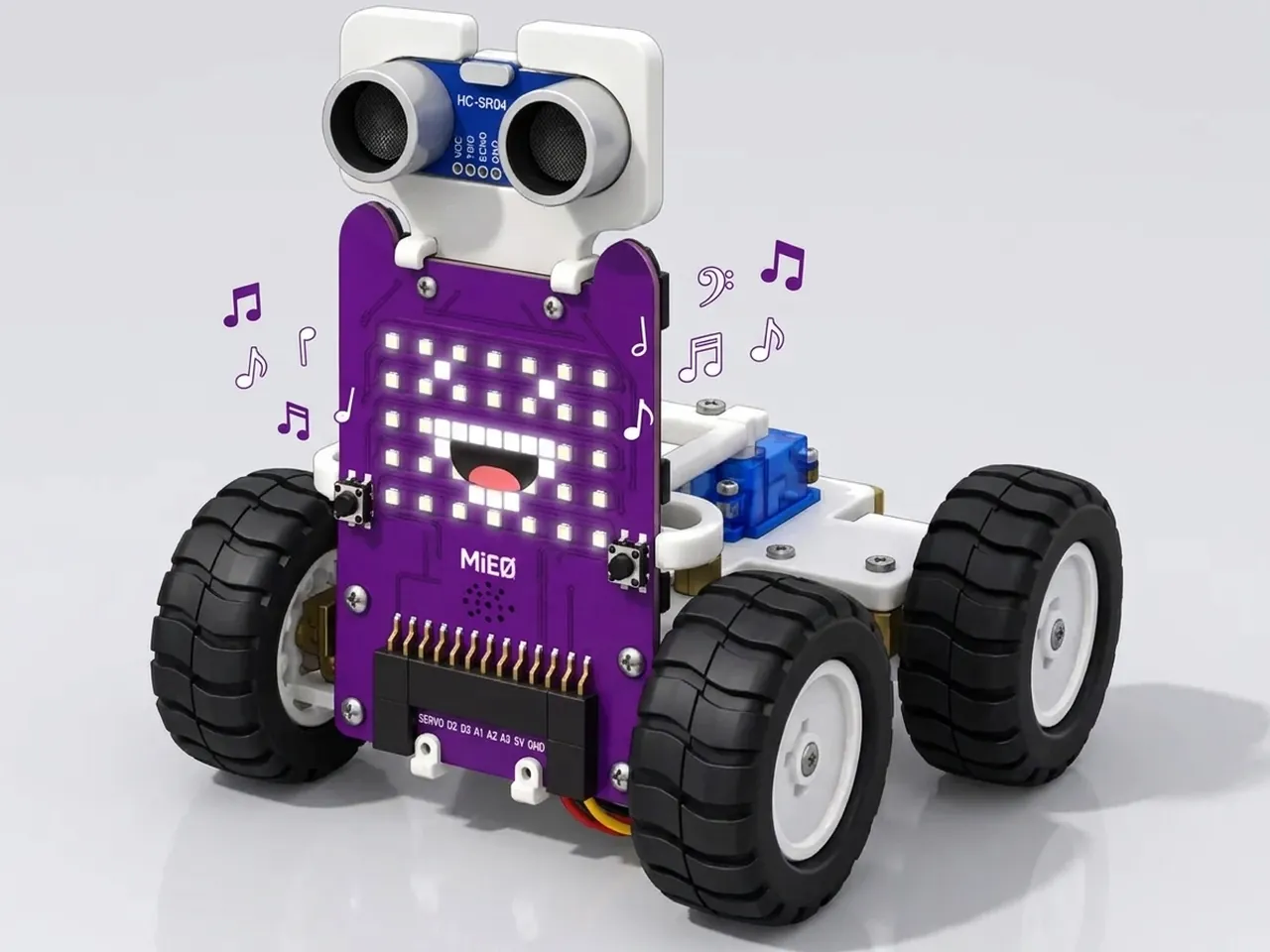
Music and Face Synchronization
Change MIEO's face on every note of a song
What you'll build
When a cartoon character sings, its mouth opens and closes in time with the words. In this project MIEO does the same. Press L and MIEO sings the first half of Frère Jacques, switching between a smile and an open-mouthed surprised face on every note, so it looks as if it's really singing. Songs repeat their lines, and so will your program: you'll use “repeat” to sing each line twice without building it twice.
What you'll learn
- Keeping two things in time by putting them in the right order
- Using “repeat” for the parts of a song that repeat
- How long each note lasts: a Quarter is half a second, a Half is a whole second
- Why a tiny pause is needed when the same note comes twice
You'll need
- Mieo board
- Battery
- 3D-printed mountings
- Screws and screwdriver
- A USB cable, or Bluetooth on your computer
- The Robolab app (free)
Stay safe
- Ask an adult to help with the small screws.
Build it
- Fit the battery into its 3D-printed mounting on the back of the Mieo board and fix it in place with the screws. If you built Happy Face Display, your MIEO is ready.
- Connect the battery to the board as shown in your kit's build guide, then switch MIEO on.
- Connect MIEO to your computer with a USB cable, or turn on Bluetooth on your computer so Robolab can find it.
Code it
- Open Robolab, choose Mieo, connect and set the switch at the top right to Upload. Start with “when mieo starts up” and “show neutral”, then add a “forever” loop with “wait until is button L pressed?” inside.
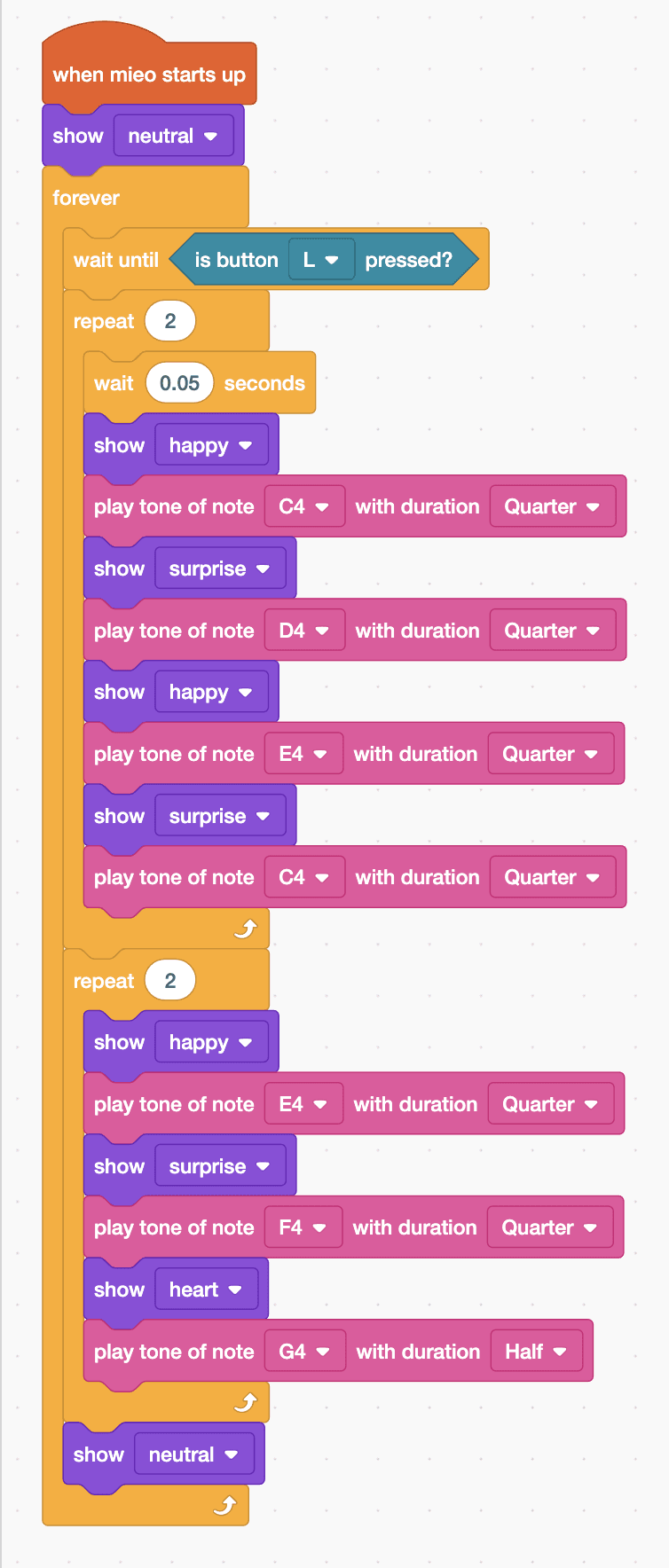
- The first line goes C, D, E, C, and it's sung twice. Add “repeat 2” and, inside it, “wait 0.05 seconds”: the line ends on C and starts again on C, and two notes the same need a gap.
- Still inside the repeat, sing four notes. Each note is two blocks: a face, then “play tone of note … with duration Quarter”. Use happy with C4, surprise with D4, happy with E4 and surprise with C4.
- Add a second “repeat 2” for the next line, E, F, G: happy with E4, surprise with F4, then heart with G4 as a Half note, so the last note lasts twice as long.
- After the second repeat, add “show neutral”, still inside the forever loop. Upload, then press L.
Upload mode: Robolab turns your blocks into MicroPython and sends them to MIEO over USB or Bluetooth. MIEO then runs the program by itself, even after you unplug it.
when mieo starts up
show [neutral v]
forever
  wait until <is button [L v] pressed?>
  repeat (2)
    wait (0.05) seconds
    show [happy v]
    play tone of note [C4 v] with duration [Quarter v]
    show [surprise v]
    play tone of note [D4 v] with duration [Quarter v]
    show [happy v]
    play tone of note [E4 v] with duration [Quarter v]
    show [surprise v]
    play tone of note [C4 v] with duration [Quarter v]
  end
  repeat (2)
    show [happy v]
    play tone of note [E4 v] with duration [Quarter v]
    show [surprise v]
    play tone of note [F4 v] with duration [Quarter v]
    show [heart v]
    play tone of note [G4 v] with duration [Half v]
  end
  show [neutral v]
endSee the MicroPython
# generated by Robolab
import mieo

mieo.showemotion('neutral')
while True:
  while not mieo.button('L'):
     pass
  for count in range(2):
    mieo.sleep(0.05 * 1000)
    mieo.showemotion('happy')
    mieo.playtone('C4', 'Quarter')
    mieo.showemotion('surprise')
    mieo.playtone('D4', 'Quarter')
    mieo.showemotion('happy')
    mieo.playtone('E4', 'Quarter')
    mieo.showemotion('surprise')
    mieo.playtone('C4', 'Quarter')
  for count in range(2):
    mieo.showemotion('happy')
    mieo.playtone('E4', 'Quarter')
    mieo.showemotion('surprise')
    mieo.playtone('F4', 'Quarter')
    mieo.showemotion('heart')
    mieo.playtone('G4', 'Half')
  mieo.showemotion('neutral')
Test it
After the upload MIEO waits with a calm face. Press L and it sings: C, D, E, C twice, then E, F and a long G, twice. On every note its face changes, between a smile and an open mouth, and the long notes show a heart. Then it goes back to its calm face, ready for another press.
If it doesn't work
- The face changes after the note instead of with it? Each face block must come just before its note, not after.
- Two C notes run together into one? Check the “wait 0.05 seconds” is the first block inside the first repeat.
- It sings the lines once instead of twice? Check both repeat blocks say 2.
Make it your own
- Easy: pick other faces for the open and closed mouth, such as nerd and dude.
- Medium: add the next part of the song: G, A, G, F, E, C, sung twice with Eighth notes for the quick ones.
- Hard: add a light show that plays during the long notes, using “show … pattern”, which keeps going while the note plays.