IoT-Connected Robotics System
Send MIEO's sensor readings to the cloud and read them back
What you'll build
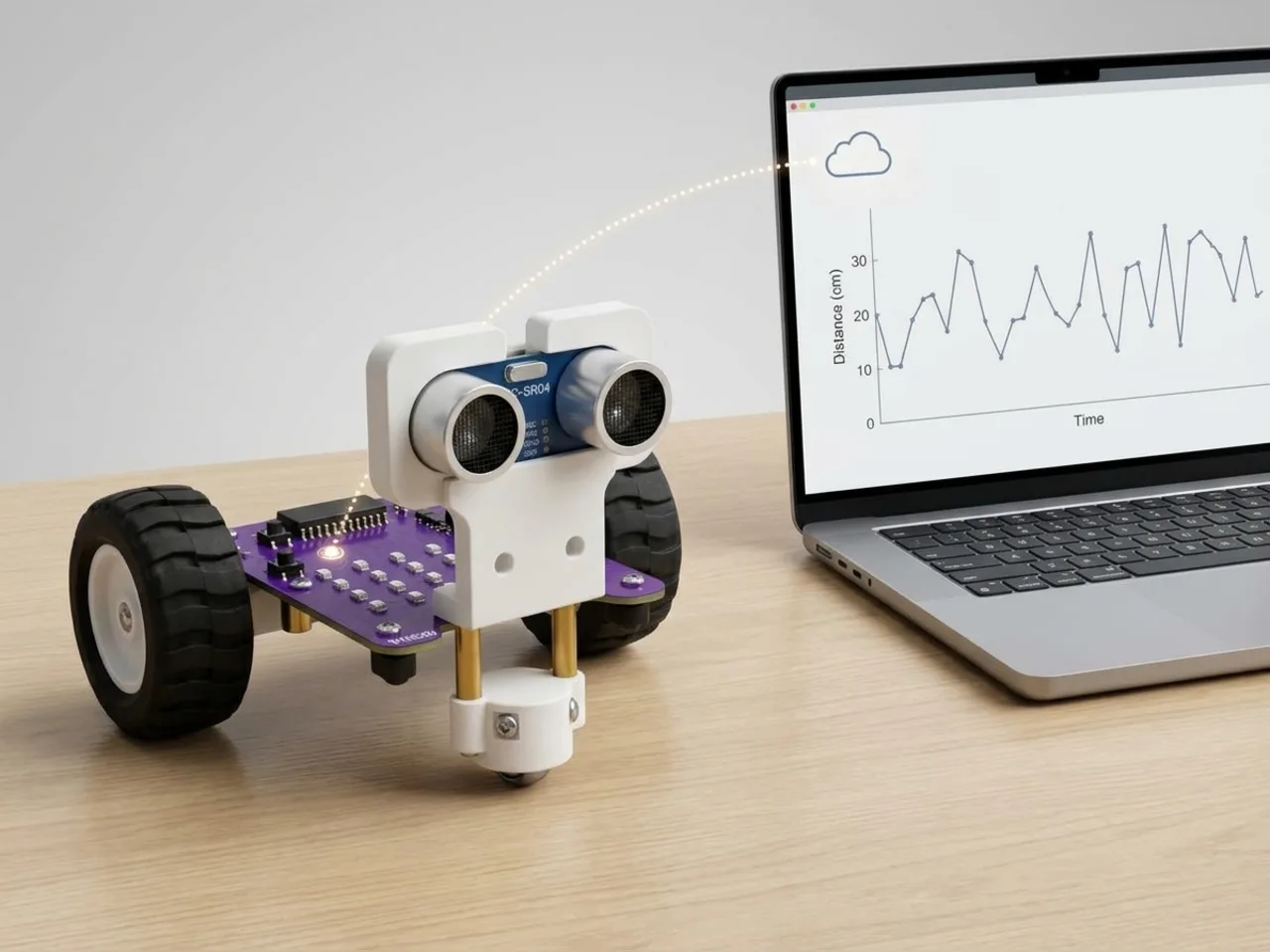
The Internet of Things means everyday machines sharing readings online: a fridge reporting its temperature, or a bin saying when it's full. In this project MIEO joins in. Every 20 seconds it measures the distance in front of its ultrasonic sensor and sends the number to a free online channel, where it builds up a chart. Press space and MIEO reads the newest value back from the internet. A classmate with your read key could watch your MIEO from another computer.
What you'll learn
- What the Internet of Things is: machines sharing readings online
- Sending a sensor reading to an online channel
- Why free services limit how often you can send
- Write keys and read keys, and why you keep them private
You'll need
- Mieo board
- Battery
- 3D-printed mountings
- Screws and screwdriver
- Ultrasonic distance sensor and its cable
- An internet connection
- A free ThingSpeak channel with its write and read keys, set up by an adult
- A USB cable, or Bluetooth on your computer
- The Robolab app (free)
- An internet connection and a free account
Stay safe
- Ask an adult to help with the small screws.
- Plug extra parts only into the connector this page names. Wiring a part to the wrong connector can damage it for good.
Build it
- Fit the battery to the Mieo board, then, with MIEO switched off, plug in the ultrasonic distance sensor: Echo to D1, Trig to D2, and its power and ground pins to the matching pins.
- Point the sensor at a door or a doorway, so the readings change when someone walks past.
- Ask an adult to make a free account at thingspeak.com and create a channel with one field. Note its channel number, its write key and its read key, and keep the keys private.
- Switch MIEO on and connect it to your computer.
Code it
- Open Robolab, choose Mieo, connect and set the switch at the top right to Arena. Add the IoT Cloud extension and make a variable called distance.
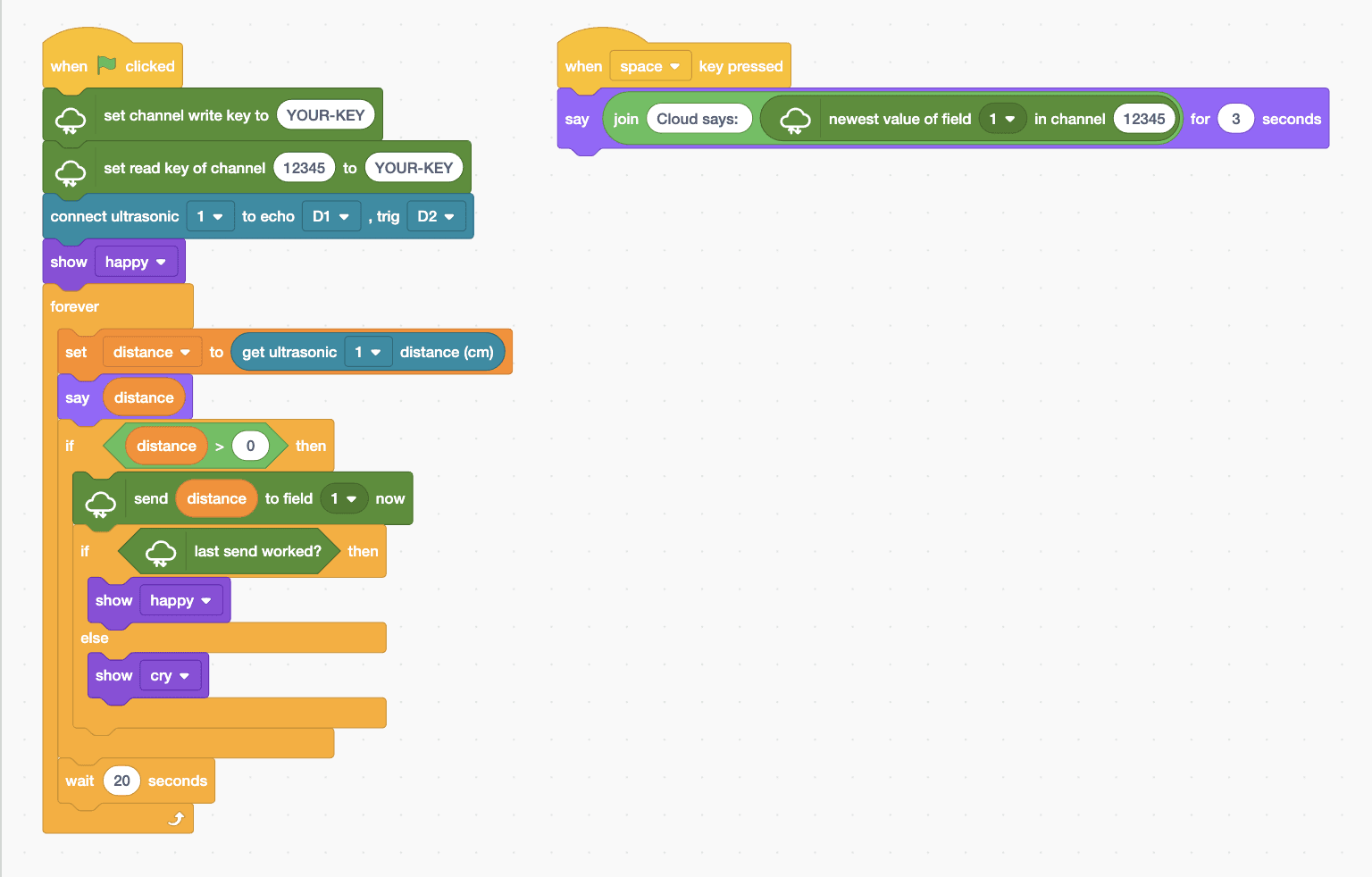
- Start with “when green flag clicked”, “set channel write key to” with your write key in place of YOUR-KEY, and “set read key of channel” with your channel number and read key.
- Add “connect ultrasonic 1 to echo D1 , trig D2” and “show happy”, then a “forever” loop with “set distance to (get ultrasonic 1 distance (cm))” and “say (distance)” inside.
- Add “if distance > 0 then” with “send (distance) to field 1 now” inside. A reading of -1 means no echo, so it isn't worth sending.
- Still inside the if, add “if last send worked? then show happy else show cry”, so MIEO's face tells you whether the internet took the reading.
- Finish the loop with “wait 20 seconds”: a free channel accepts one update every 15 seconds at most.
- Add “when space key pressed” with “say (join Cloud says: (newest value of field 1 in channel …)) for 3 seconds”. Click the green flag.
Arena mode: the program runs on your computer and talks to MIEO live over USB or Bluetooth, so keep MIEO switched on and connected.
when green flag clicked
set channel write key to (YOUR-KEY)
set read key of channel (12345) to (YOUR-KEY)
connect ultrasonic [1 v] to echo [D1 v] , trig [D2 v]
show [happy v]
forever
  set [distance v] to (get ultrasonic [1 v] distance (cm))
  say (distance)
  if <(distance) > (0)> then
    send (distance) to field [1 v] now
    if <last send worked?> then
      show [happy v]
    else
      show [cry v]
    end
  end
  wait (20) seconds
end

when [space v] key pressed
say (join (Cloud says:) (newest value of field [1 v] in channel (12345))) for (3) secondsTest it
Click the green flag. The Mieo sprite shows the distance in centimetres, and every 20 seconds MIEO sends it online. If the send works, MIEO keeps smiling; if not, it looks sad. Open your channel's page on the ThingSpeak website to watch the chart grow. Press space and the sprite says the newest value stored online.
If it doesn't work
- MIEO looks sad after sending? Check the write key is pasted exactly and the computer is online.
- Space says nothing after “Cloud says:”? Check the channel number and read key, and wait for the first send to arrive.
- The chart only has a few points? That's the 20-second wait. Leave it running for a while to see the pattern.
Make it your own
- Easy: change “say” to show the reading on MIEO's display as well.
- Medium: count how many people walk past the door, and send that count to field 2.
- Hard: read a classmate's channel and make MIEO show a heart when their reading changes.