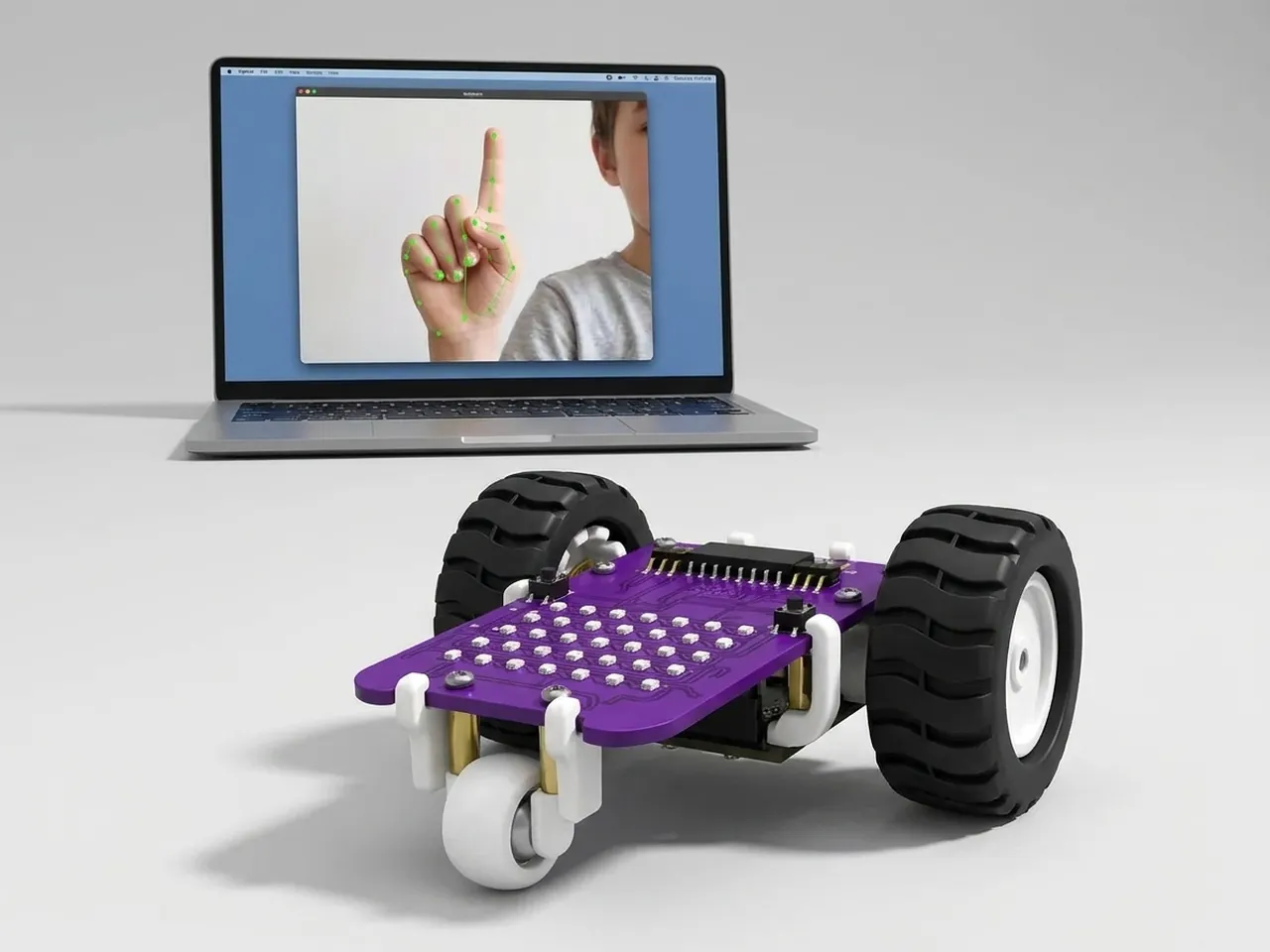
Hand Gesture-Controlled Robot
Hold up fingers to tell MIEO to go, stop or turn
What you'll build
What if you could drive a robot just by holding up fingers? Body Sense finds your hand in the webcam picture and can tell which fingers are raised, all on your computer with no internet. In this project MIEO counts them: one finger means go forward, two means turn left, three means turn right, and a fist or an open hand means stop. It only sends MIEO a new command when the number of fingers changes.
What you'll learn
- Counting with a variable: add one for every raised finger
- Turning a number into a command with “if … else”
- Only acting when something changes, using a second variable
- Why a fist and an open hand both make good stop signs
You'll need
- Mieo board
- Two N20 motors and their wheels
- Battery
- 3D-printed mountings
- Caster wheel
- Screws and screwdriver
- A webcam; most laptops have one built in
- A computer with Bluetooth
- The Robolab app (free)
- A webcam (most laptops have one built in)
Stay safe
- Ask an adult to help with the small screws.
- Lift MIEO's wheels off the table before you upload a driving program, so it can't drive off the edge.
- The camera and microphone stay on your computer. Nothing MIEO sees or hears is sent anywhere.
Build it
- Build MIEO with both N20 motors, their wheels, the caster wheel and the battery, as in Switch Motor Start.
- Clear a driving space on the floor or a big table, away from the edge.
- Switch MIEO on and connect it to your computer over Bluetooth. Sit facing the webcam, with your hand in view.
Code it
- Open Robolab, choose Mieo, connect and set the switch at the top right to Arena. Add the Body Sense extension and make two variables, fingers and last.
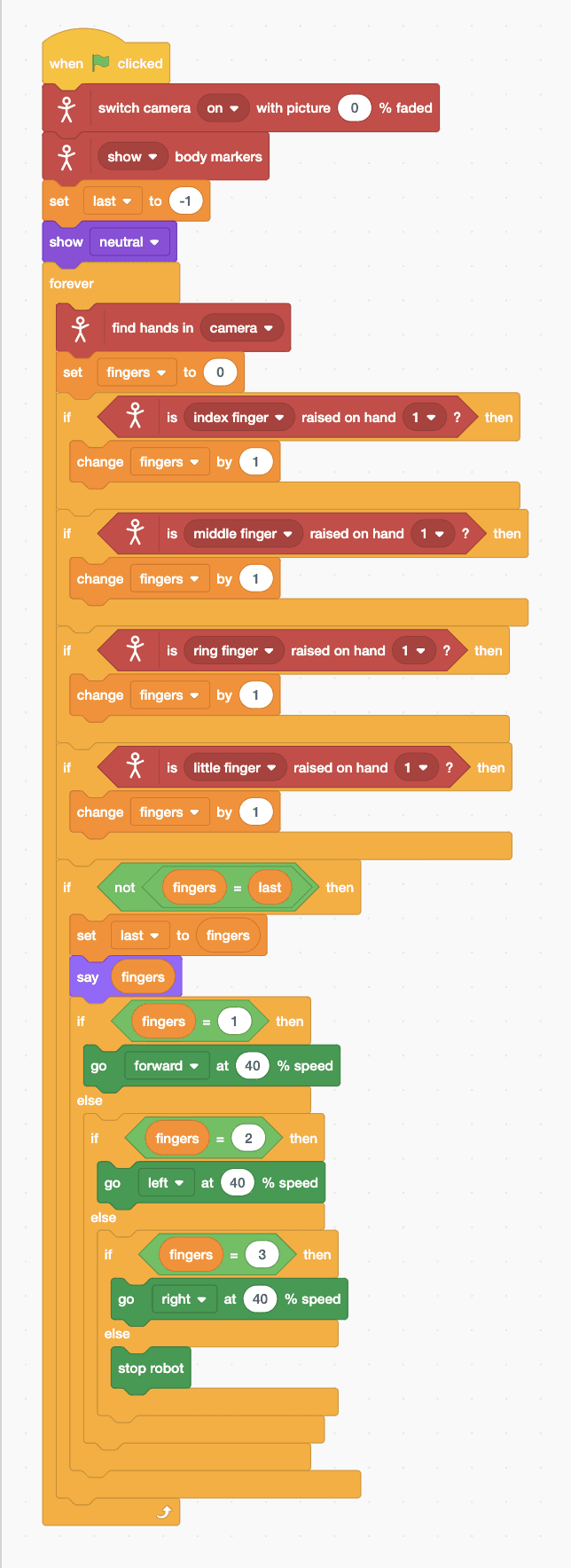
- Start with “when green flag clicked”, “switch camera on with picture 0 % faded”, “show body markers”, “set last to -1” and “show neutral”.
- Add a “forever” loop with “find hands in camera” and “set fingers to 0” inside.
- Count: add four “if … then” blocks, one each for “is index finger raised on hand 1 ?”, middle finger, ring finger and little finger, each with “change fingers by 1”.
- Add “if not fingers = last then”, with “set last to (fingers)” and “say (fingers)” inside, so MIEO only gets a new command when the count changes.
- Inside that, add a chain of “if … else”: fingers = 1 does “go forward at 40 % speed”, 2 does “go left”, 3 does “go right”, and the last else does “stop robot”.
- Click the green flag, allow the camera, and hold up one finger.
Arena mode: the program runs on your computer and talks to MIEO live over USB or Bluetooth, so keep MIEO switched on and connected.
when green flag clicked
switch camera [on v] with picture (0) % faded
[show v] body markers
set [last v] to (-1)
show [neutral v]
forever
  find hands in [camera v]
  set [fingers v] to (0)
  if <is [index finger v] raised on hand [1 v] ?> then
    change [fingers v] by (1)
  end
  if <is [middle finger v] raised on hand [1 v] ?> then
    change [fingers v] by (1)
  end
  if <is [ring finger v] raised on hand [1 v] ?> then
    change [fingers v] by (1)
  end
  if <is [little finger v] raised on hand [1 v] ?> then
    change [fingers v] by (1)
  end
  if <not <(fingers) = (last)>> then
    set [last v] to (fingers)
    say (fingers)
    if <(fingers) = (1)> then
      go [forward v] at (40) % speed
    else
      if <(fingers) = (2)> then
        go [left v] at (40) % speed
      else
        if <(fingers) = (3)> then
          go [right v] at (40) % speed
        else
          stop robot
        end
      end
    end
  end
endTest it
Click the green flag: the camera picture shows your hand with dots on its joints, and the Mieo sprite says how many fingers it counts. Hold up one finger and MIEO drives forward. Two fingers and it spins left; three and it spins right. Make a fist or open your whole hand and MIEO stops. Take your hand out of view and it stops too.
If it doesn't work
- The count is wrong? Hold your hand flat towards the camera with the fingers spread, in good light.
- MIEO keeps stopping and starting? Your count is flickering between two numbers. Hold the gesture still.
- MIEO drives too far before you can stop it? Use a slower speed, such as 30, and keep your hand ready to make a fist.
Make it your own
- Easy: show a face for each command, such as happy for forward and surprise for stop.
- Medium: count the thumb too, and use five fingers for a little dance.
- Hard: use two hands: the count on one hand chooses the direction and the other hand sets the speed.