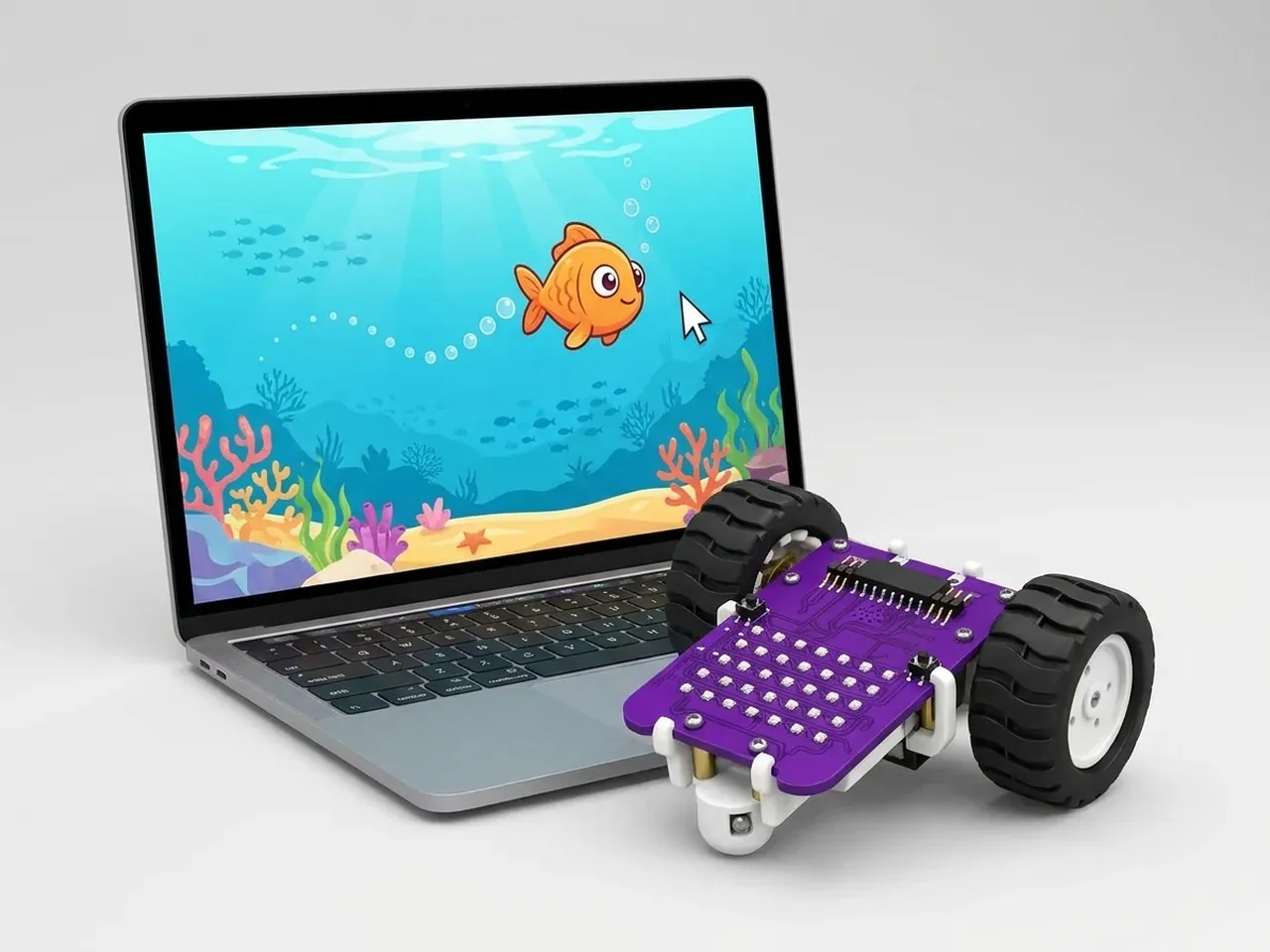
Follow Mouse
A sprite that chases your mouse pointer around the stage
What you'll build
In this project a fish swims after your mouse pointer wherever it goes. Move the pointer and the fish turns to face it and follows, always the right way up. When it reaches the pointer it changes colour. Behind the scenes a forever loop checks where the pointer is many times a second, which is exactly how robots and games keep reacting to the world around them.
What you'll learn
- How a forever loop keeps checking and moving, many times a second
- Turning a sprite to face something with “point towards”
- Measuring with “distance to” and comparing numbers with “>”
- Why rotation style matters when a sprite turns to the left
- Changing a sprite's colour with a graphic effect
You'll need
Set up the stage
- Open Robolab and leave “No device selected” as it is, because this project runs on screen.
- Click the “Choose a Sprite” button under the stage and pick Fish from the library.
- This game stars the fish, so delete Roby: right-click Roby in the sprite list and choose delete.
- Click the “Choose a Backdrop” button and pick Underwater 1.
Code it
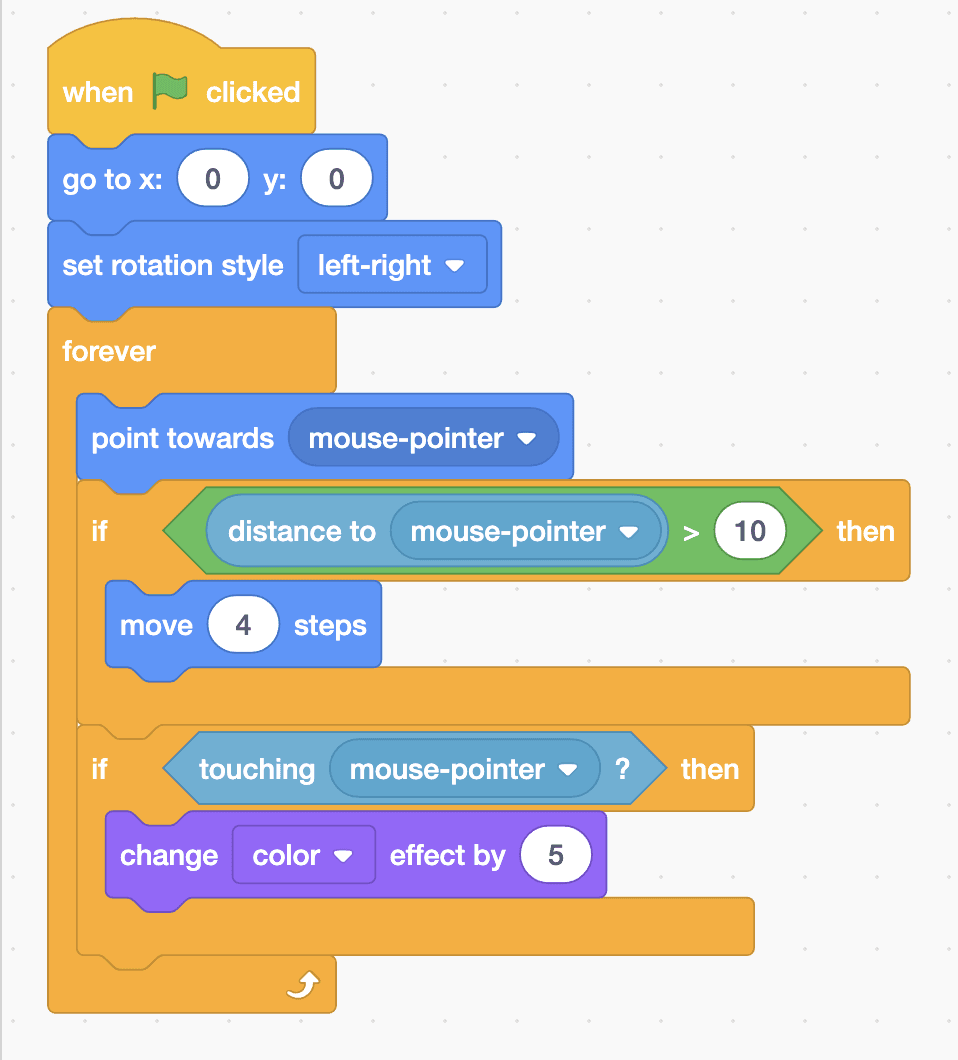
- Click the Fish sprite. From Events, drag out “when green flag clicked”, then from Motion add “go to x: 0 y: 0” so the fish starts in the middle.
- Add “set rotation style left-right”. Without it, the fish swims upside down whenever it turns to the left.
- From Control, add a “forever” loop. Inside it, put “point towards mouse-pointer”.
- Add “if … then” inside the loop. For its condition, put a “>” block from Operators in the gap, with “distance to mouse-pointer” from Sensing on its left and 10 on its right. Inside the if, add “move 4 steps”.
- Add a second “if … then” with “touching mouse-pointer?” as its condition. Inside it, put “change color effect by 5” from Looks.
- Click the green flag and move your pointer around the stage.
This project runs on screen in Robolab, so you don't need MIEO for it.
when green flag clicked
go to x: (0) y: (0)
set rotation style [left-right v]
forever
  point towards [mouse-pointer v]
  if <(distance to [mouse-pointer v]) > (10)> then
    move (4) steps
  end
  if <touching [mouse-pointer v] ?> then
    change [color v] effect by (5)
  end
endTest it
Click the green flag and move your pointer over the stage. The fish turns to face it and swims after it, flipping left and right but never upside down. When the fish reaches the pointer it stops moving and its colour slowly shifts while it stays there. Move the pointer away and the chase starts again.
If it doesn't work
- The fish wobbles back and forth when it reaches the pointer? Make the 10 in the “>” block bigger, or the 4 in “move 4 steps” smaller.
- The fish swims upside down? Check that “set rotation style left-right” comes before the forever loop.
- Nothing moves? Click the green flag, then keep your pointer over the stage rather than the code area.
Make it your own
- Easy: change “move 4 steps” to 2 for a lazy fish, or to 8 for a speedy one.
- Medium: add a Jellyfish that drifts around the tank on its own, using “glide 2 secs to random position” inside a forever loop.
- Hard: turn it into a game of tag. Use the timer to count how long you can keep the pointer away from the fish, and stop the game when the fish catches it.