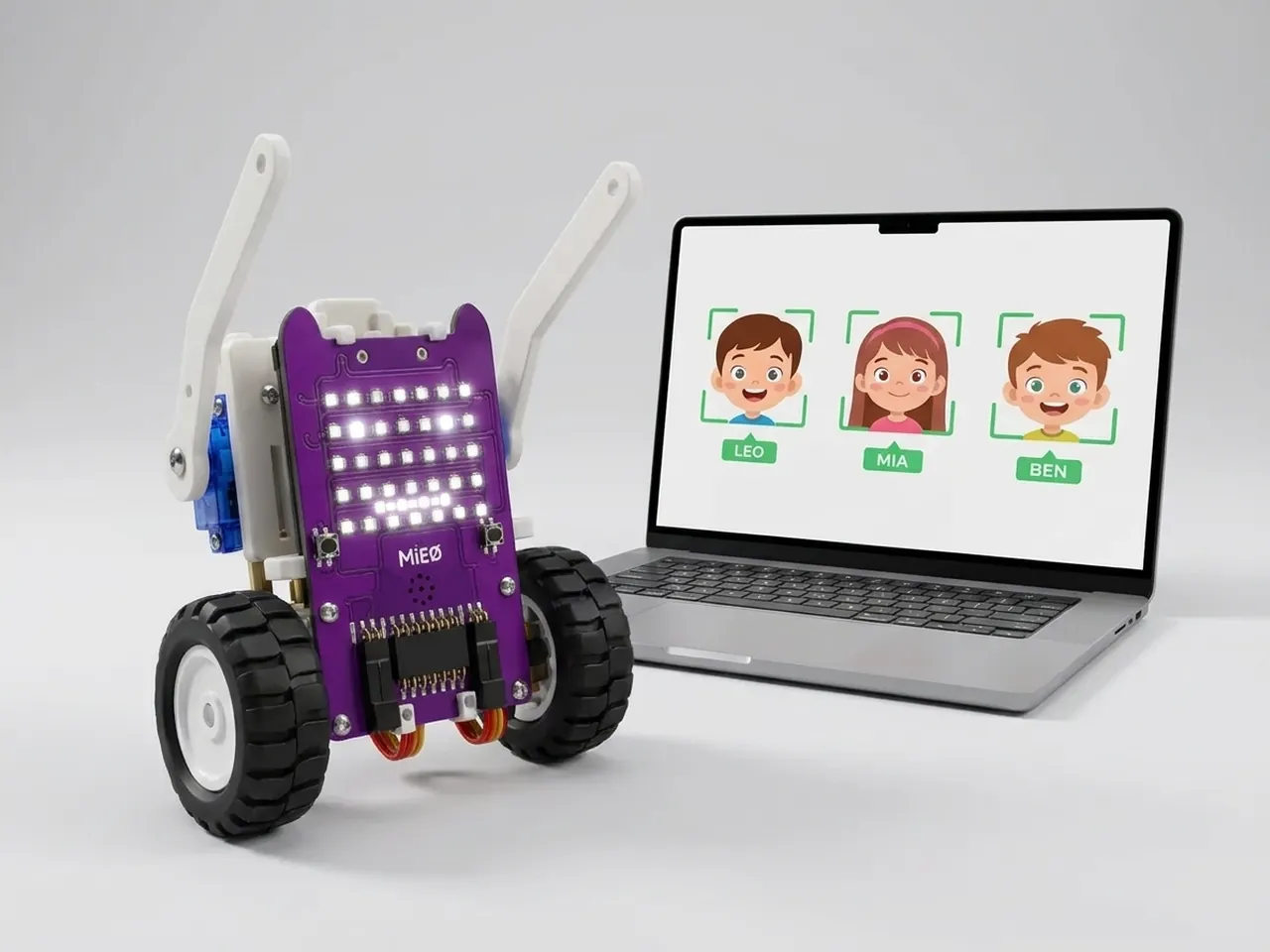
Face Recognition Robot
Teach MIEO your friends' faces so it greets each by name
What you'll build
Finding a face in a picture is one thing; knowing whose face it is, is another. In this project you teach MIEO two friends. Each one looks at the webcam while you press their number key a few times, so Face Sense can learn what their face looks like from slightly different angles. After that, MIEO greets each friend by name with a smile and a sound, and anyone it doesn't know gets a puzzled “Hello, stranger!”. The learning and the matching all happen on your computer, with no internet.
What you'll learn
- The difference between finding a face and recognising whose face it is
- Teaching a computer with examples, and why more examples help
- Using the name it recognises in a greeting with “join”
- Why recognition is never 100 % sure, and how to handle unknown faces
You'll need
- Mieo board
- Battery
- 3D-printed mountings
- Screws and screwdriver
- A webcam; most laptops have one built in
- Two friends to teach MIEO
- A USB cable, or Bluetooth on your computer
- The Robolab app (free)
- A webcam (most laptops have one built in)
Stay safe
- Ask an adult to help with the small screws.
- The camera and microphone stay on your computer. Nothing MIEO sees or hears is sent anywhere.
Build it
- Fit the battery to the Mieo board if it isn't there already, and switch MIEO on.
- Connect MIEO to your computer with a USB cable or over Bluetooth, and stand it beside the screen.
- Sit in front of the webcam in good, even light. Ask your friends if they'd like to be learned: only teach MIEO faces with the person's permission.
Code it
- Open Robolab, choose Mieo, connect and set the switch at the top right to Arena. Add the Face Sense extension and make two variables, who and last.
- Add the teaching scripts: “when 1 key pressed”, “add class 1 named Asha from camera” and “say I'll remember Asha for 1 seconds”. Make another for key 2 and class 2, with your second friend's name.
- Add “when r key pressed” and “reset classes”, to forget everyone and start again.
- Start the main script with “when green flag clicked”, “turn on video on arena at 0 % transparency”, “show face bounding box”, “set last to nobody” and “show think”.
- Add a “forever” loop with “do face matching from camera” inside, then “if … then” with “get number of faces > 0”. Inside it, add “set who to (get class of detected face 1)”.
- Add “if not who = last then” with “set last to (who)” inside, then “if … else” with “who = unknown”: a stranger gets “say Hello, stranger!” and “show think”; a friend gets “say (join Hello, (who))”, “show happy” and “play sound happy”.
- Click the green flag. While each friend looks at the camera, press their number key three or four times, turning their head a little each time.
Arena mode: the program runs on your computer and talks to MIEO live over USB or Bluetooth, so keep MIEO switched on and connected.
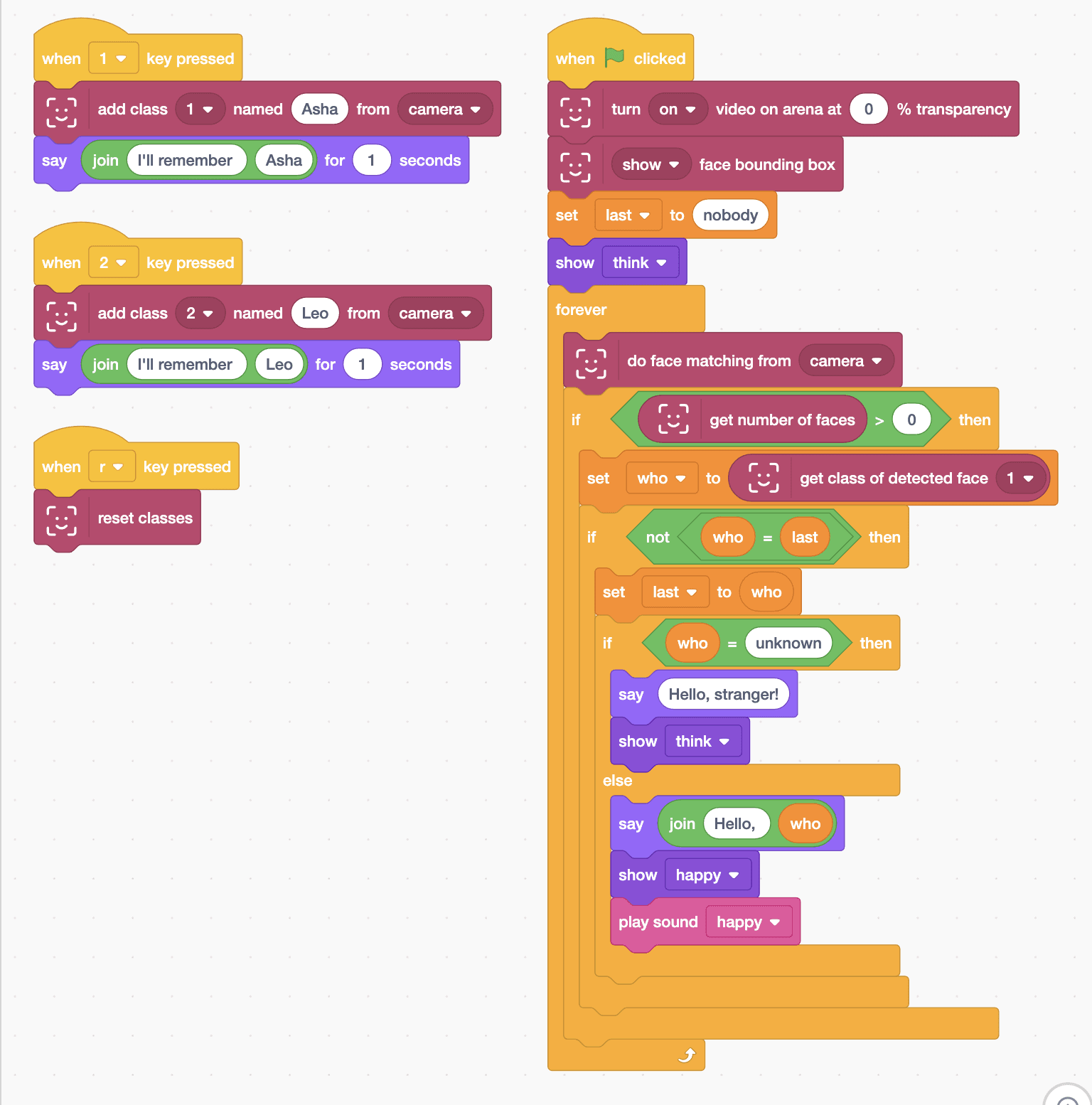
when [1 v] key pressed
add class [1 v] named (Asha) from [camera v]
say (join (I'll remember) (Asha)) for (1) seconds

when [2 v] key pressed
add class [2 v] named (Leo) from [camera v]
say (join (I'll remember) (Leo)) for (1) seconds

when [r v] key pressed
reset classes

when green flag clicked
turn [on v] video on arena at (0) % transparency
[show v] face bounding box
set [last v] to (nobody)
show [think v]
forever
  do face matching from [camera v]
  if <(get number of faces) > (0)> then
    set [who v] to (get class of detected face [1 v])
    if <not <(who) = (last)>> then
      set [last v] to (who)
      if <(who) = (unknown)> then
        say (Hello, stranger!)
        show [think v]
      else
        say (join (Hello,) (who))
        show [happy v]
        play sound [happy v]
      end
    end
  end
endTest it
Click the green flag and press 1 a few times while Asha looks at the camera, then 2 for Leo. Now when Asha sits in front of the camera, the Mieo sprite says “Hello, Asha”, MIEO smiles and plays its happy sound. When Leo sits there instead, it greets Leo. Someone it hasn't learned gets “Hello, stranger!” and a thinking face.
If it doesn't work
- It calls a friend a stranger? Teach their face again in the same light, pressing their key a few more times as they turn their head slightly.
- It mixes up two friends? Learn each one with more examples, and make sure only one face is in the picture while you teach.
- It forgets everyone after you close Robolab? Learned faces aren't saved with the project, so teach them again each time you open it.
Make it your own
- Easy: change the names to your own friends, and give each one their own sound.
- Medium: teach a third friend on the 3 key.
- Hard: count how many times each friend has visited today, with a variable for each one, and say the count in the greeting.