Face-Responsive Robot
MIEO turns to face you as you move around
What you'll build
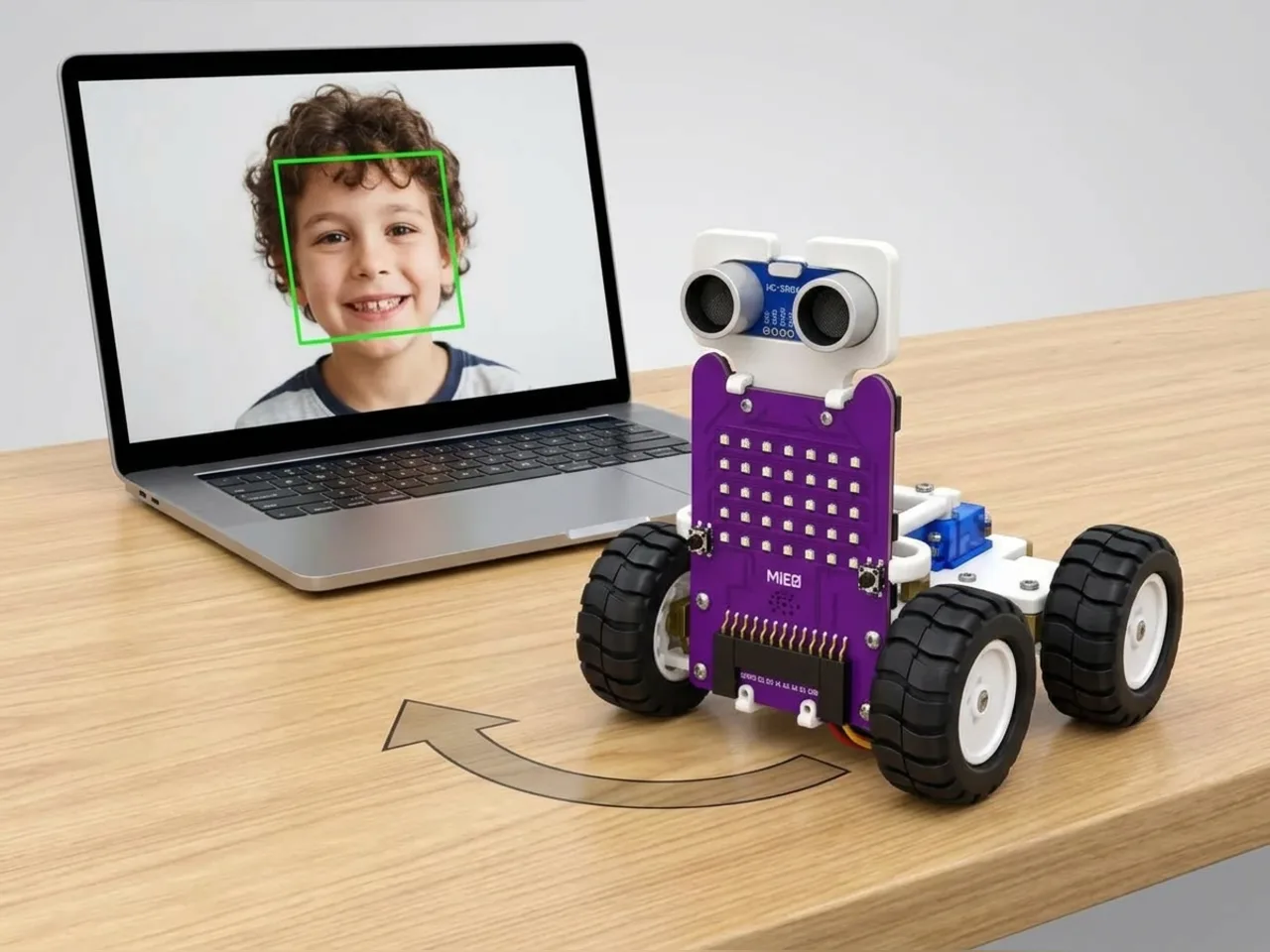
When someone walks past, you turn your head to look at them. In this project MIEO does the same. Face Sense finds your face in the webcam picture and says how far left or right it is. MIEO turns that number into an angle for a servo, so its head follows you as you move. When nobody is in the picture, MIEO falls asleep; when you come back, it wakes up with a smile. Everything runs on your computer, with no internet.
What you'll learn
- Turning a position in a picture into an angle for a servo
- Doing maths with blocks: subtract and divide
- Remembering whether a face was seen, so MIEO only changes its face when it needs to
- How a robot can follow something without driving anywhere
You'll need
- Mieo board
- Battery
- 3D-printed mountings
- Screws and screwdriver
- A servo motor, from the MIEO kit
- Card, scissors and tape to make a head
- A webcam; most laptops have one built in
- A computer with Bluetooth
- The Robolab app (free)
- A webcam (most laptops have one built in)
Stay safe
- Ask an adult to help with the small screws.
- Plug extra parts only into the connector this page names. Wiring a part to the wrong connector can damage it for good.
- The camera and microphone stay on your computer. Nothing MIEO sees or hears is sent anywhere.
Build it
- Fit the battery to the Mieo board and switch MIEO off.
- Plug the servo into connector S1, the right way round, and tape the servo to MIEO with its shaft pointing up.
- Cut a small head from card, draw two big eyes on it, and tape it to the servo's horn.
- Switch MIEO on, connect over Bluetooth, and stand it right beside your webcam, so it sees the room from the same place as the camera.
Code it

Want MIEO Bot to guide you?
Robolab's built-in tutor has a lesson on the same idea, “Turn Towards Me”. Open MIEO Bot in Robolab, pick Pro, then Mieo, and it shows you the blocks one at a time and checks your work as you go.
About MIEO Bot's lessons- Open Robolab, choose Mieo, connect and set the switch at the top right to Arena. Add the Face Sense extension and make a variable called seen.
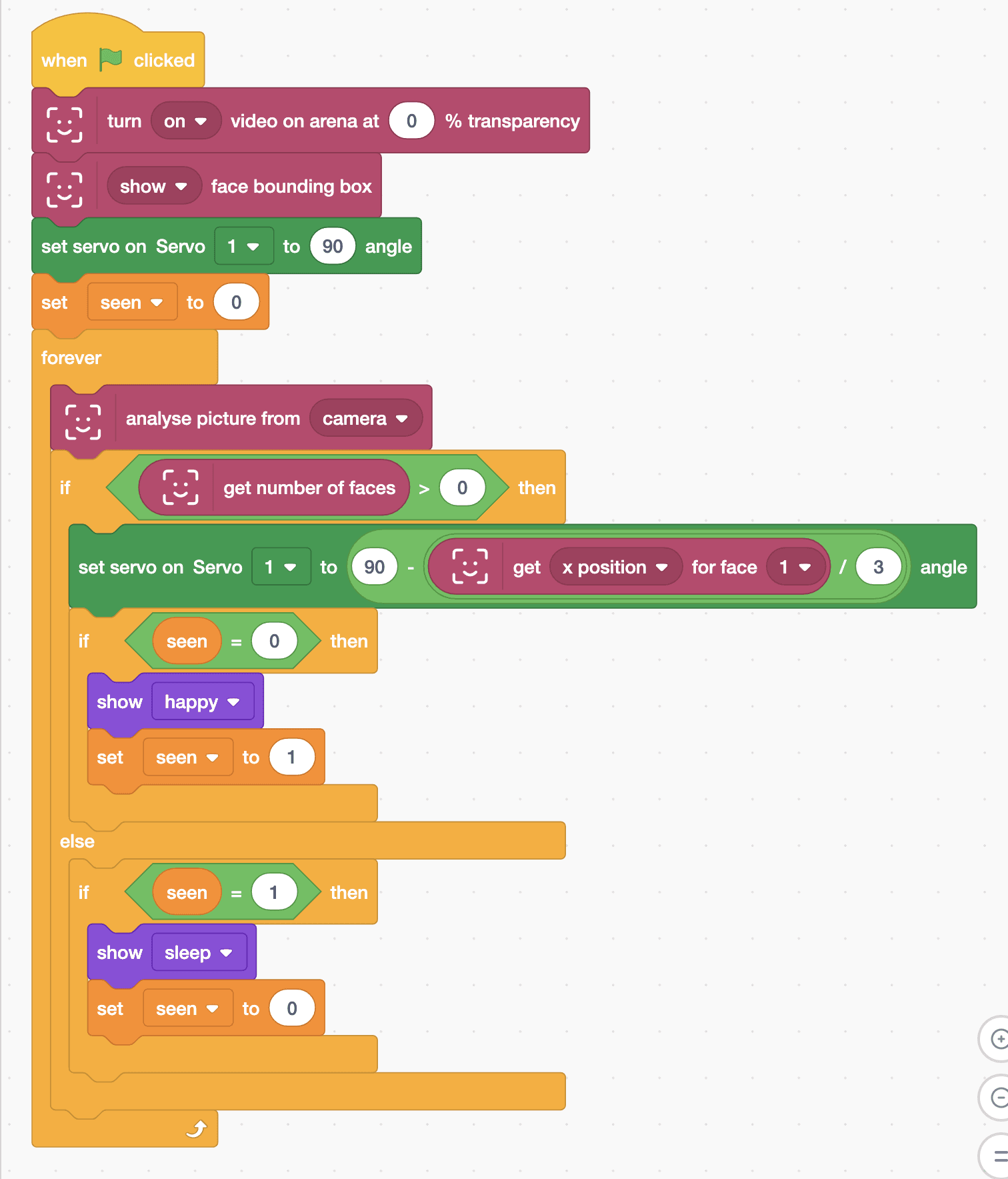
- Start with “when green flag clicked”, “turn on video on arena at 0 % transparency”, “show face bounding box”, “set servo on Servo 1 to 90 angle” and “set seen to 0”.
- Add a “forever” loop with “analyse picture from camera” inside, then “if … else” with “get number of faces > 0”.
- In the top part, add “set servo on Servo 1 to (90 - (get x position for face 1 / 3)) angle”. The x position of a face goes from -240 on the left of the picture to 240 on the right, so the head turns up to 80 degrees either way.
- Still in the top part, add “if seen = 0 then” with “show happy” and “set seen to 1”, so MIEO wakes up only once.
- In the else part, add “if seen = 1 then” with “show sleep” and “set seen to 0”.
- Click the green flag, allow the camera, then walk slowly from side to side.
Arena mode: the program runs on your computer and talks to MIEO live over USB or Bluetooth, so keep MIEO switched on and connected.
when green flag clicked
turn [on v] video on arena at (0) % transparency
[show v] face bounding box
set servo on Servo [1 v] to (90) angle
set [seen v] to (0)
forever
  analyse picture from [camera v]
  if <(get number of faces) > (0)> then
    set servo on Servo [1 v] to ((90) - ((get [x position v] for face [1 v]) / (3))) angle
    if <(seen) = (0)> then
      show [happy v]
      set [seen v] to (1)
    end
  else
    if <(seen) = (1)> then
      show [sleep v]
      set [seen v] to (0)
    end
  end
endTest it
Click the green flag: the camera picture appears with a box round your face, MIEO smiles and its head turns towards you. Walk slowly to one side and the head follows; walk to the other side and it turns back. Step out of the picture and MIEO falls asleep, with its head where it last saw you. Step back in and it wakes up with a smile.
If it doesn't work
- The head turns away from you instead of towards you? Your servo turns the other way round. Change the minus block to a plus, so it reads 90 + x / 3.
- The head jerks about? Move more slowly, and keep your whole face in the picture.
- The head swings too far or not far enough? Change the 3: a bigger number means a smaller turn.
Make it your own
- Easy: draw a different face on the card head, and show a different face on MIEO's display when it wakes up.
- Medium: make MIEO nod by also moving a second servo in S2 with the y of the face.
- Hard: when you come close to the camera, so the face is wide, make MIEO look surprised.